Incomplete Messages View
The Incomplete Messages view displays messages which are accepted by the trading partner but failed to acknowledge back within the maximum waiting time.
Understanding the Incomplete Messages Table
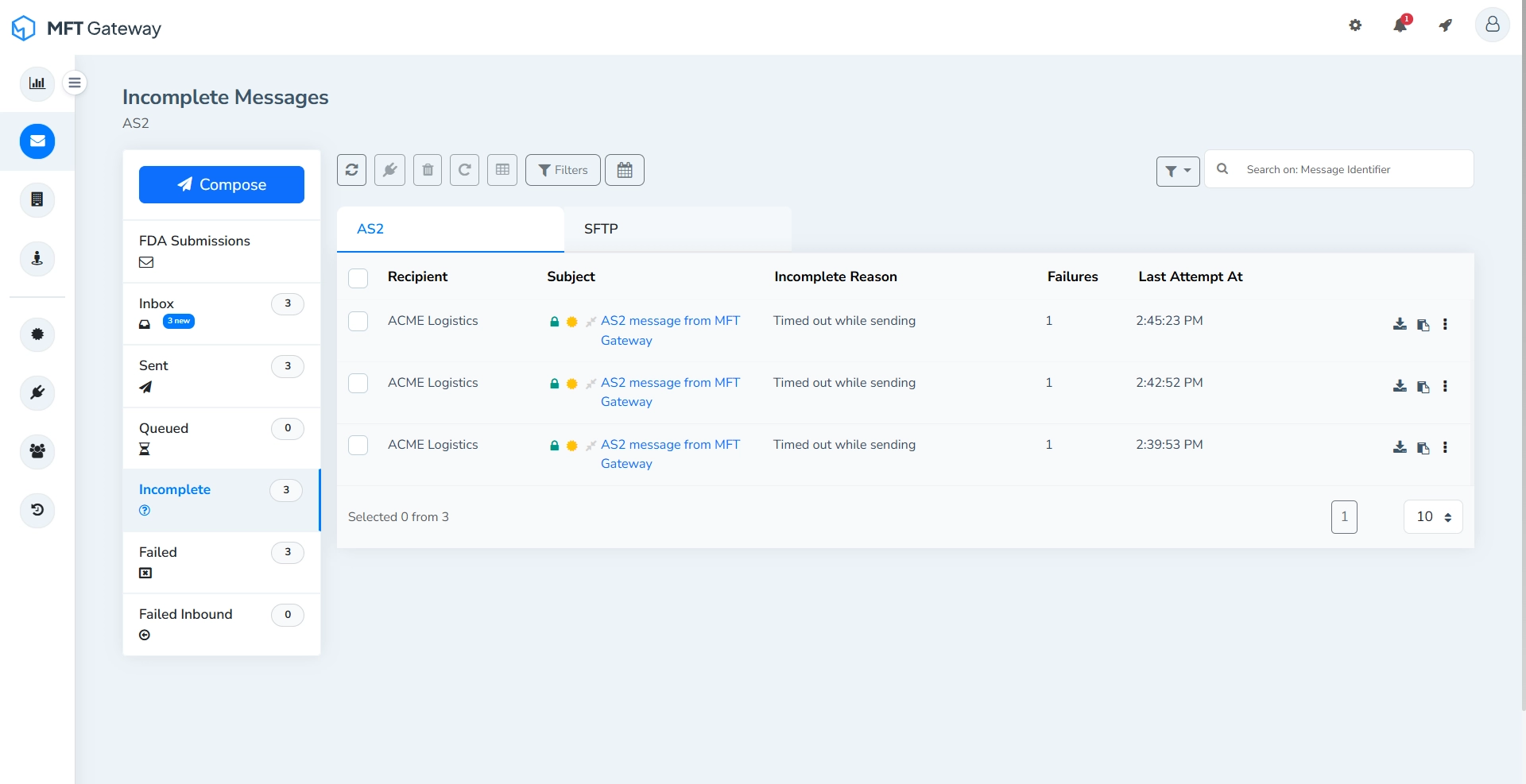
- Recipient - The name of the trading partner who was intended to receive the message.
- Subject - The subject specified when the message was created or predefined from Manage Partner view.
- Incomplete Reason - A brief description explaining why the message is marked as incomplete, typically due to a missing acknowledgment within the configured timeout period.
- Failures - The number of retry attempts for the message.
- Last Attempt At - The timestamp indicating when the most recent send attempt occurred. Messages are sorted by the most recent timestamp.
Single Message Actions
Each incomplete message entry provides actions that allow you to manage the message individually.

Download Attachments
Downloads all attachments associated with the message as a zip file.
Copy ID
Copies the AS2 message ID to the clipboard.
By clicking the more options menu (⋮) you can access additional actions.

Delete
Permanently removes the incomplete message entry along with the transport headers and the raw message.
View Error Logs
Opens the detailed logs related to the message.
Retry
Attempts to resend the message.
Redeliver Webhook Notification
Retriggers the webhook notification for the selected message. Message will be sent to the webhook endpoint configured in the webhook integration menu.
Actions for Selected Message(s)
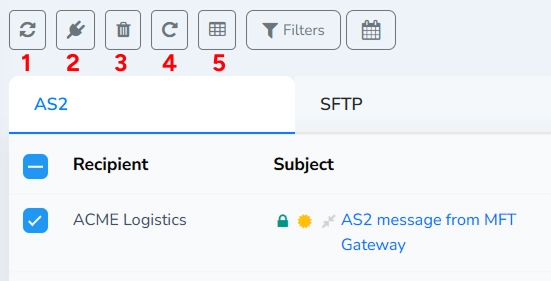
Refresh (1)
Refreshes the incomplete messages table to retrieve the latest message status.
When one or more messages are selected using the checkboxes, the rest of the action toolbar becomes active, allowing batch operations on the selected messages.
Redeliver Selected to Webhook Endpoint (2)
Retriggers the webhook notification for the selected messages. Messages will be sent to the webhook endpoint configured in the webhook integration menu.
Delete Selected (3)
Permanently removes all selected messages and the respective transport headers and the raw messages.
Retry Selected Message(s) (4)
Attempts to resend all selected incomplete messages.
Export Details (5)
Exports the details of the selected incomplete messages in CSV format.
Search and Filters
Search Field
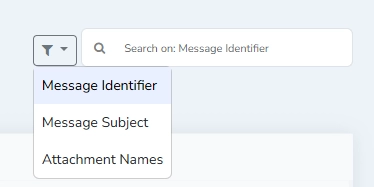
Search incomplete messages by AS2 message identifier, message subject, or attachment names. Select the search parameter from the dropdown next to the search field.
Filters (by identifiers)
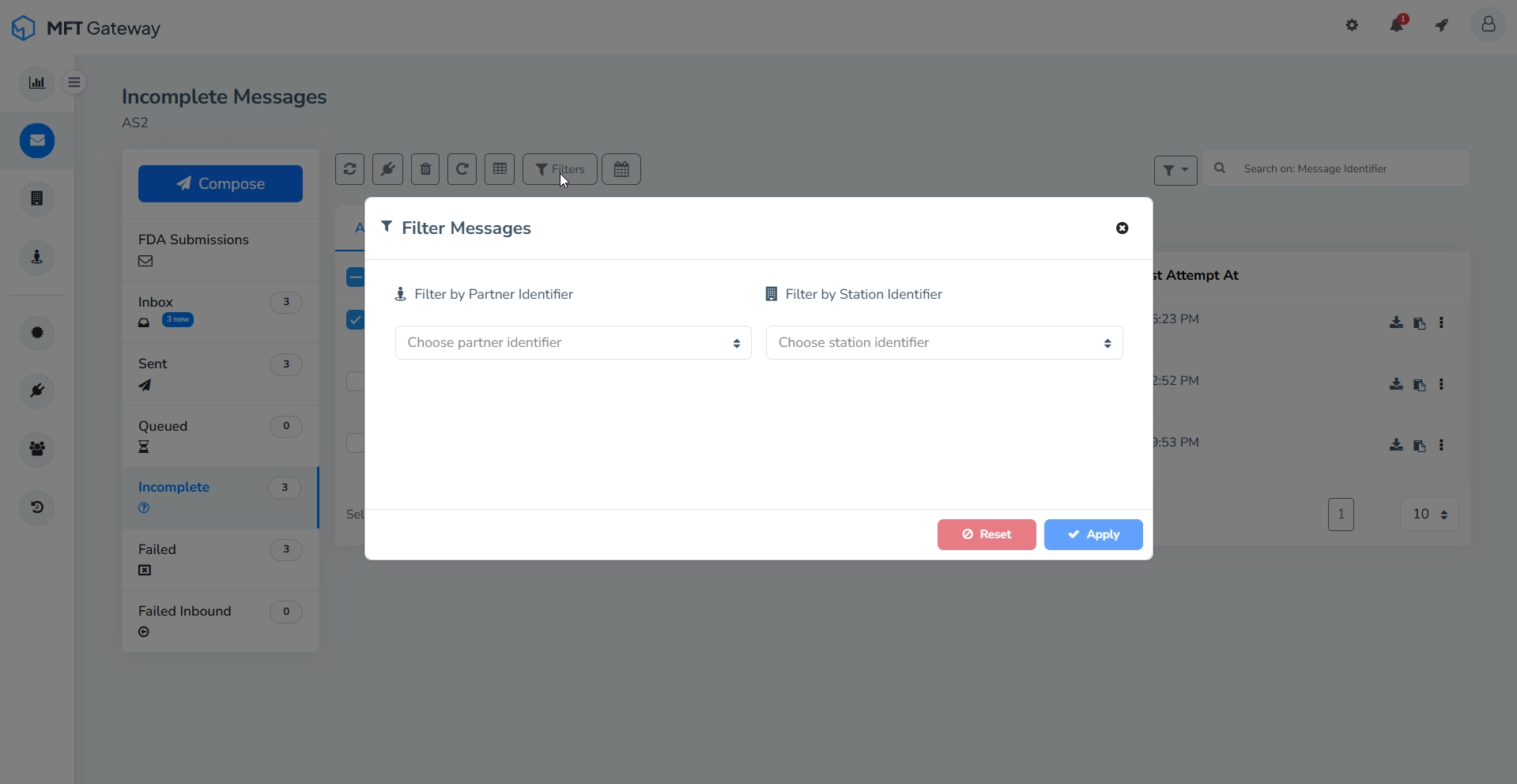
You can filter incomplete messages by partner identifier and/or station identifier.
Filter by Timestamp
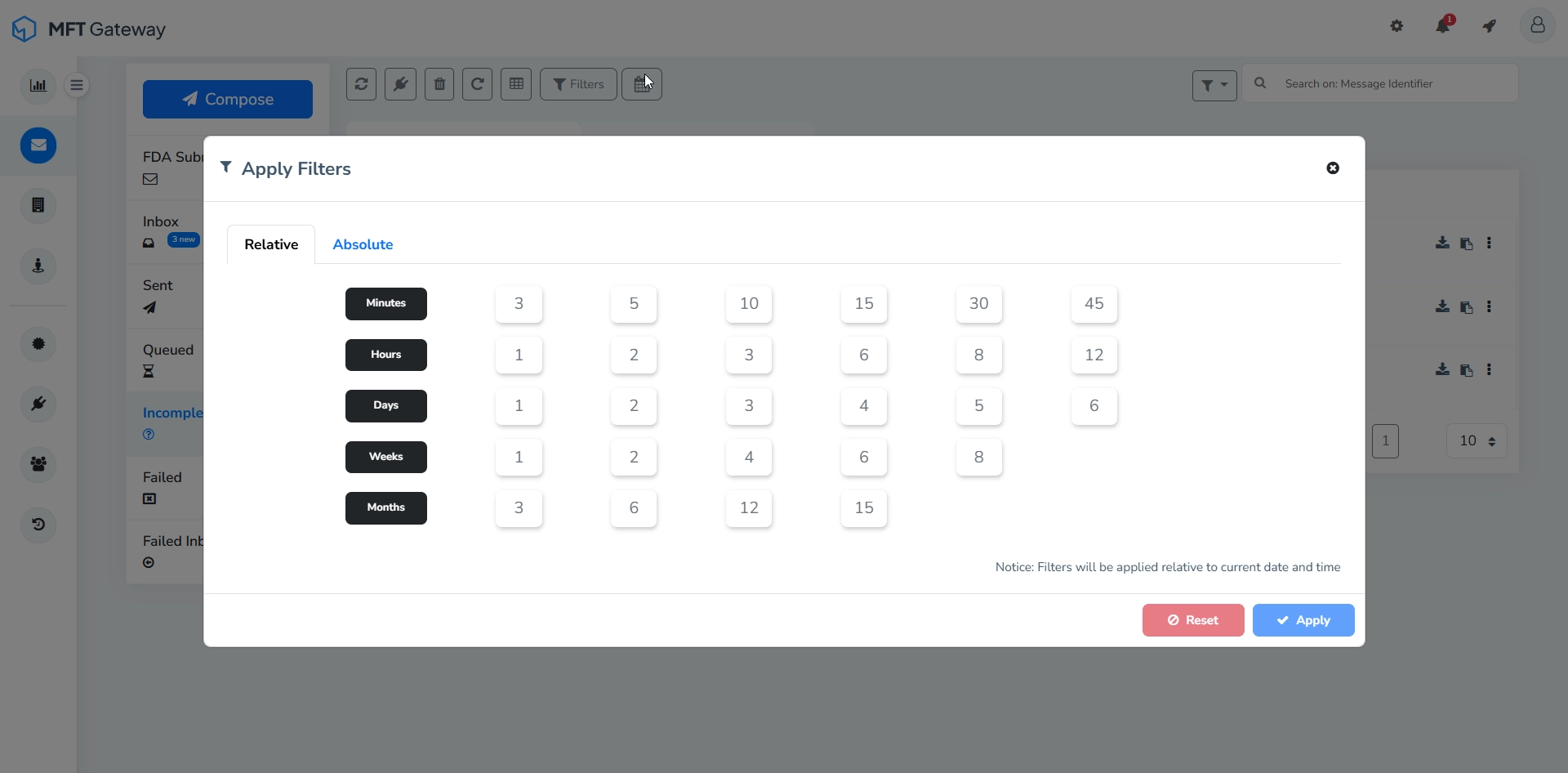
Filter incomplete messages based on the timestamp.