Failed Inbound Messages View
The Failed Inbound Messages view displays messages that were received by the system but could not be processed because a matching partner entity could not be found. This typically occurs when the receiving MFT Gateway account has not yet added the sender as a partner. The view helps users identify such messages, review the failure reason, and manage the entries.
Understanding the Failed Inbound Messages Table
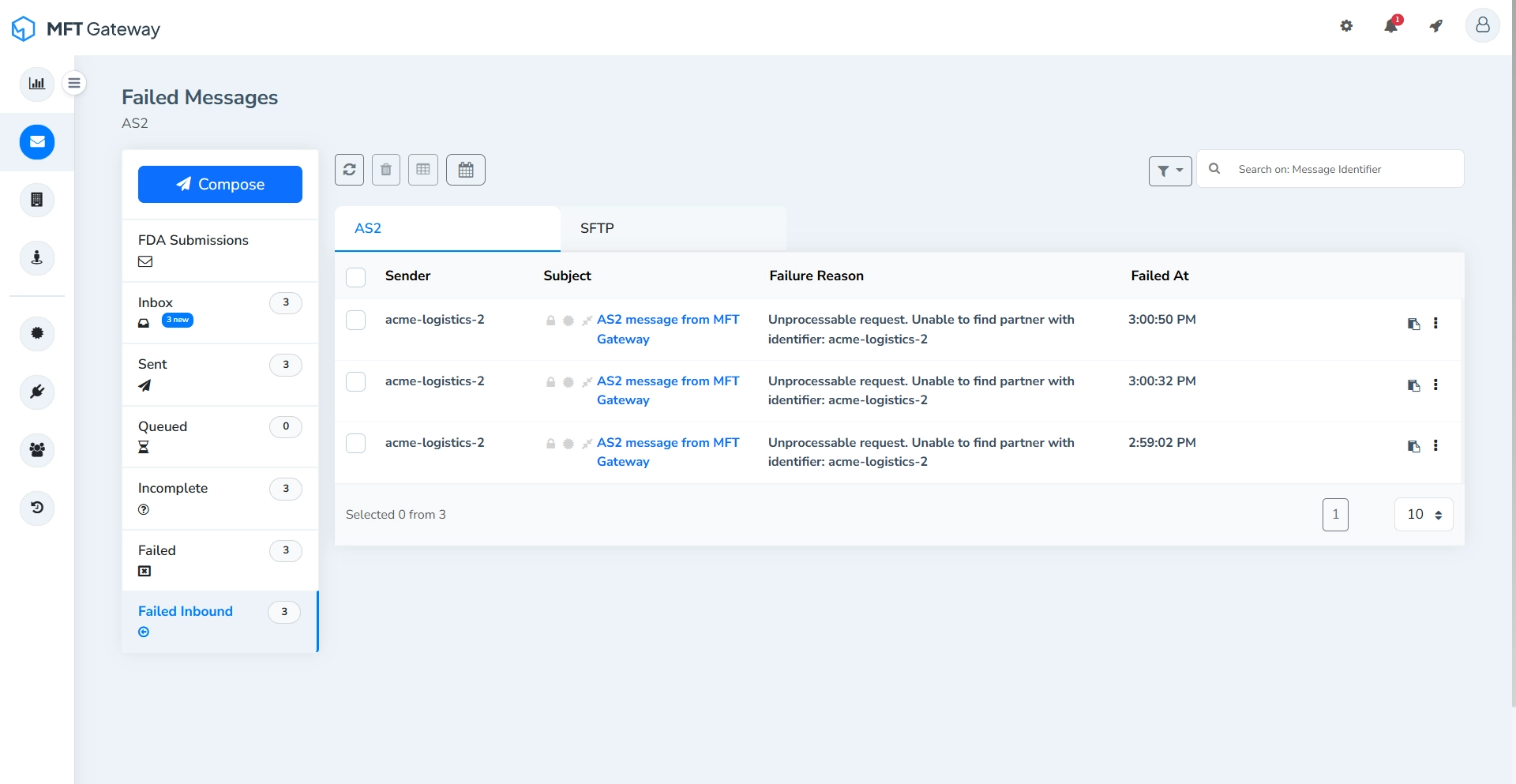
- Sender - The identifier of the entity that sent the message.
- Subject - The subject associated with the received message.
- Failure Reason - A brief description explaining why the inbound message could not be processed, such as when the sender is not configured as a partner.
- Failed At - The timestamp indicating when the message processing failed. Messages are sorted by the most recent timestamp.
Single Message Actions
Each failed inbound message entry provides actions that allow you to manage the message individually.

Copy ID
Copies the AS2 message ID to the clipboard.
By clicking the more options menu (⋮) you can access additional actions.
Delete
Permanently removes the failed inbound message entry along with the transport headers and the raw message.
View Error Logs
Opens the detailed error logs related to the inbound message, allowing you to review the cause of the failure.
Actions for Selected Message(s)
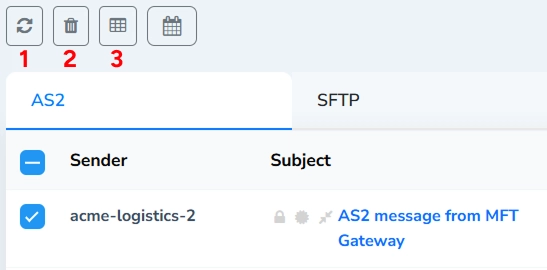
Refresh (1)
Refreshes the failed inbound messages table to retrieve the latest message status.
When one or more messages are selected using the checkboxes, the rest of the action toolbar becomes active, allowing batch operations on the selected messages.
Delete Selected (2)
Permanently removes all selected failed inbound messages and the respective transport headers and the raw messages.
Export Details (3)
Exports the details of the selected entries in CSV format.
Search and Filters
Search Field
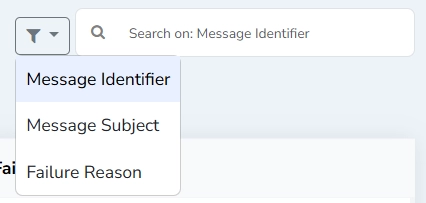
Search failed inbound messages by AS2 message identifier, message subject, or failure reason. Select the search parameter from the dropdown next to the search field.
Filter by Timestamp
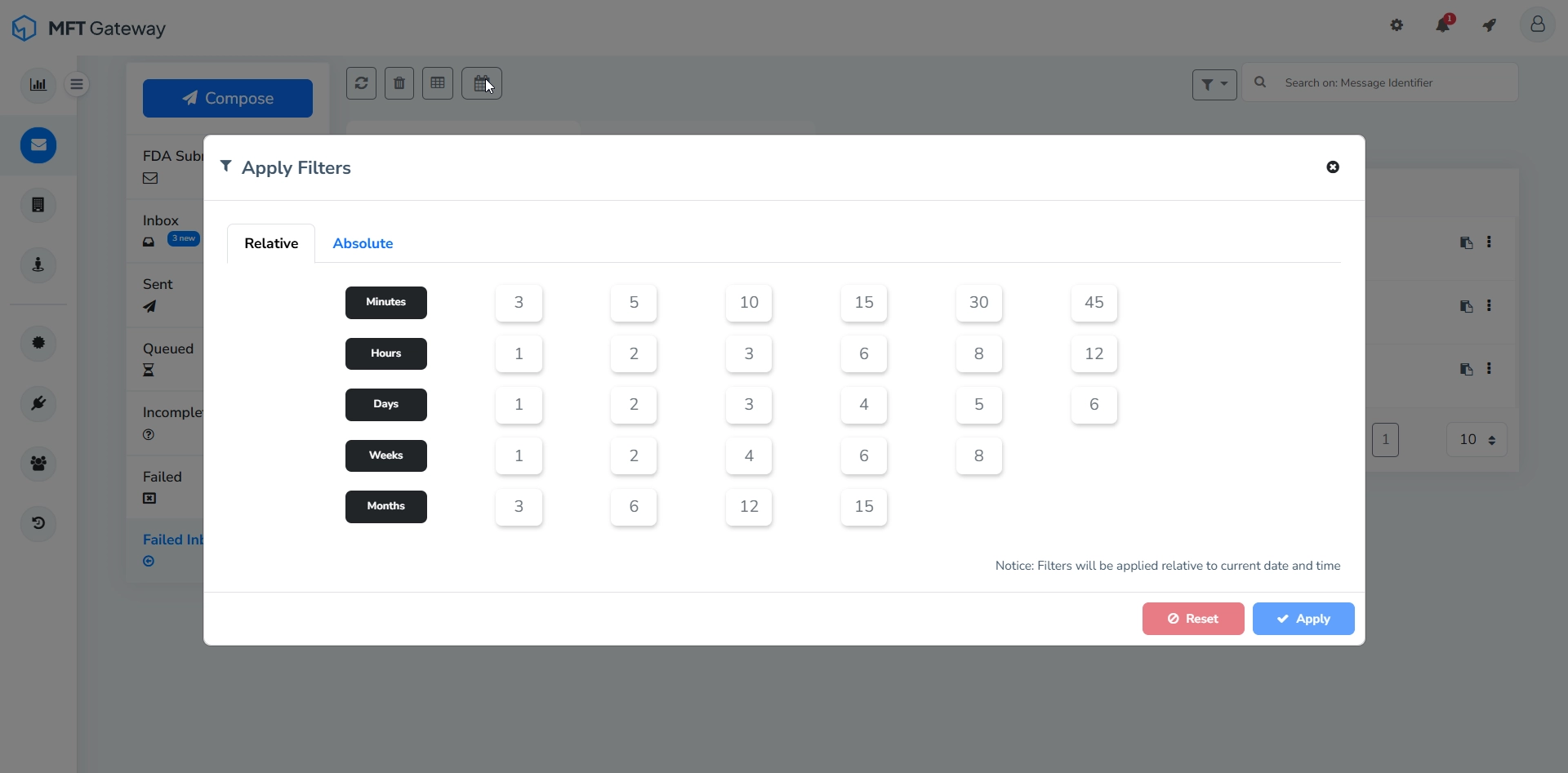
Filter failed inbound messages based on the timestamp.