Tenant Settings
If you are an Org Admin user you can change certain tenant account settings. Click the Gear icon in the top right corner and choose Tenant Settings to navigate to Tenant Settings page.
Tenant Notification Emails
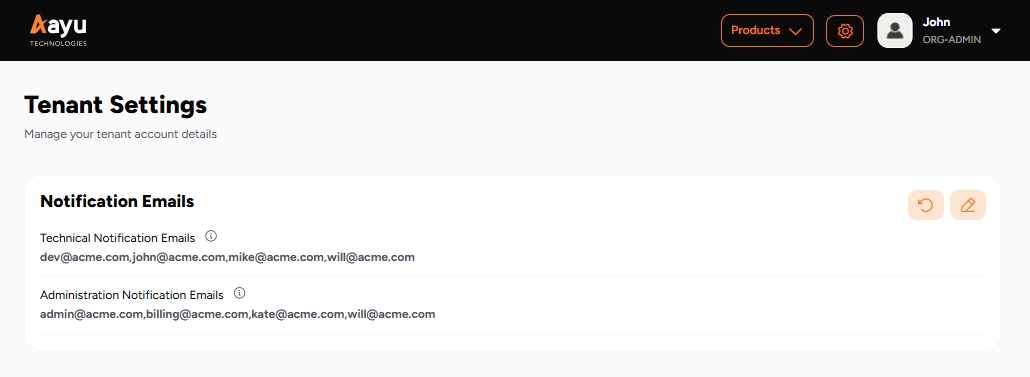
You can add emails for 2 categories of notifications. Configure up to 10 email addresses for each notification category. By default, the tenant email is included in both.
Technical Notifications - You will receive,
- Certificate expiration warnings,
- Duplicate file submission notifications
- EDIG/webhook integration failure notifications
to technical notification emails.
Administration Notifications - You will receive,
- Account suspension warnings
- Account expiration warnings
- Custom invoices
to administration notification emails.
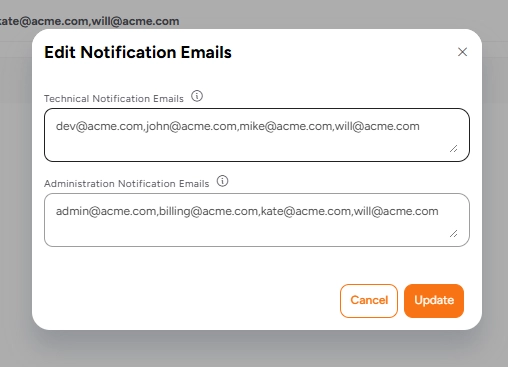
Click on the Edit tenant notification emails button to change the notification emails.