


Hosted SaaS solution for AS2 and SFTP file transfer. No infrastructure, instant setup.
Start Free Trial
MFT Gateway 3.17.7 adds SFTP Client Mode, CSRs and CA-signed chains for HTTPS Identity certificates, revamped Station and Partner lists, and more.
Published: 29 Oct 2026
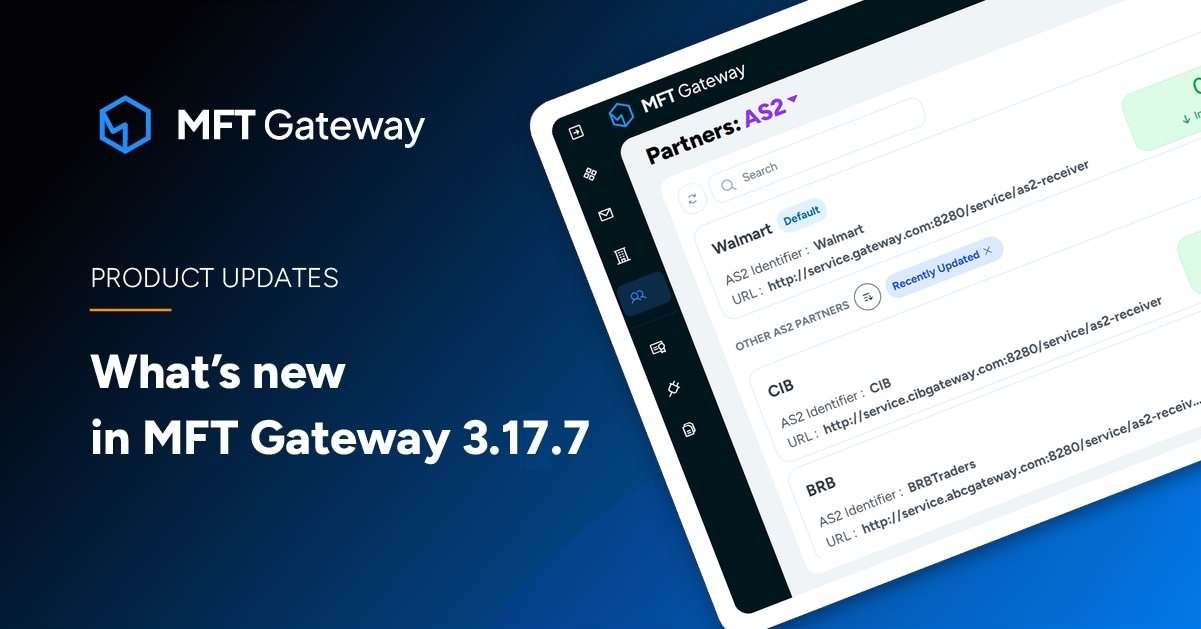
Aayu Technologies LLC has just released MFT Gateway 3.17.7. The latest update adds SFTP Client Mode for connecting to partner-hosted SFTP servers, CSR generation and CA-signed chain import for HTTPS Identity certificates, warnings when disabling the AS2 or SFTP message service while Stations or Partners are still active, and more. Let’s dive into the new version to see what’s new.
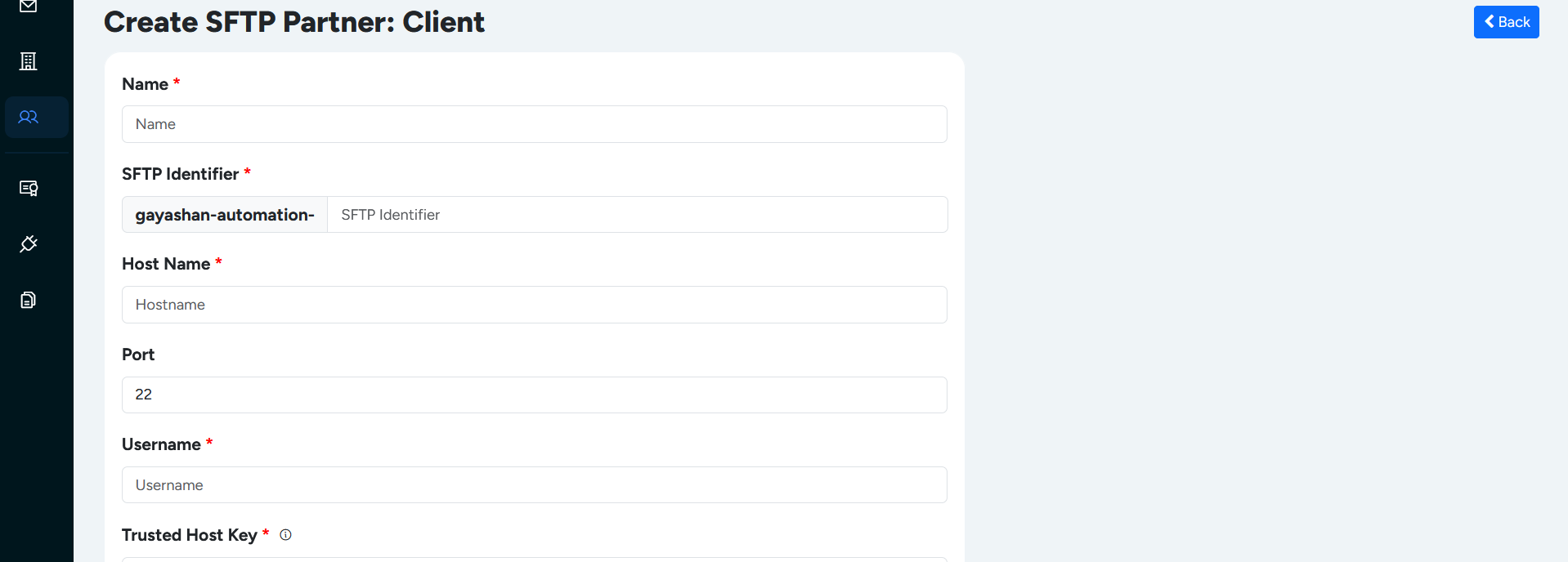
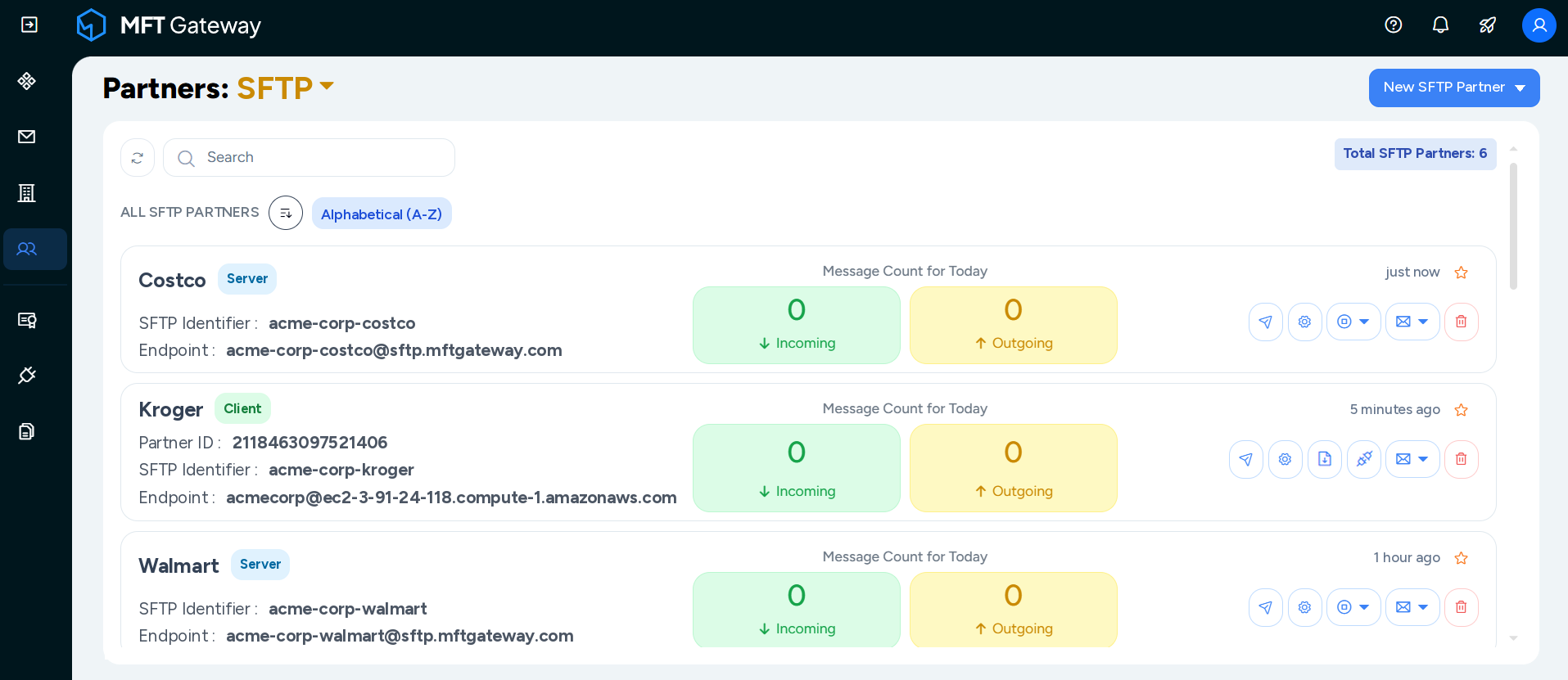
With the latest release, MFT Gateway now supports SFTP Client Mode partners, allowing users to connect to SFTP servers hosted by their trading partners. Until now, SFTP partners in MFT Gateway worked only in server mode: MFT Gateway provided the SFTP server, and partners connected to it to exchange files. In practice, though, many trading partners, especially large retailers, logistics providers and enterprise suppliers, run their own SFTP servers and expect their partners to connect to them. With SFTP Client Mode, MFT Gateway can now connect to a partner’s SFTP server as a client, alongside the existing server mode. That makes onboarding faster and file exchange easier to run as your partner network grows.
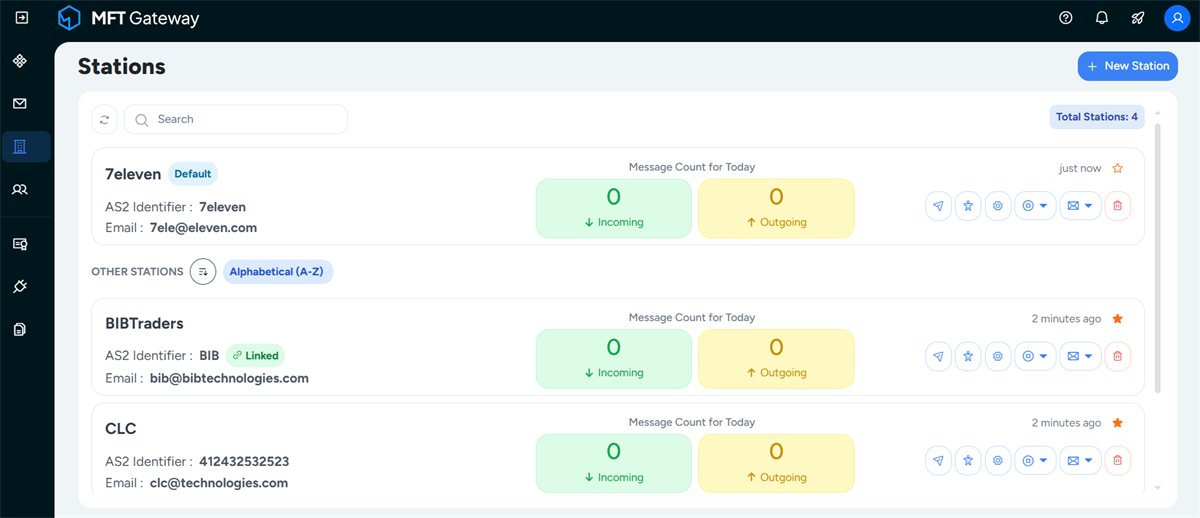
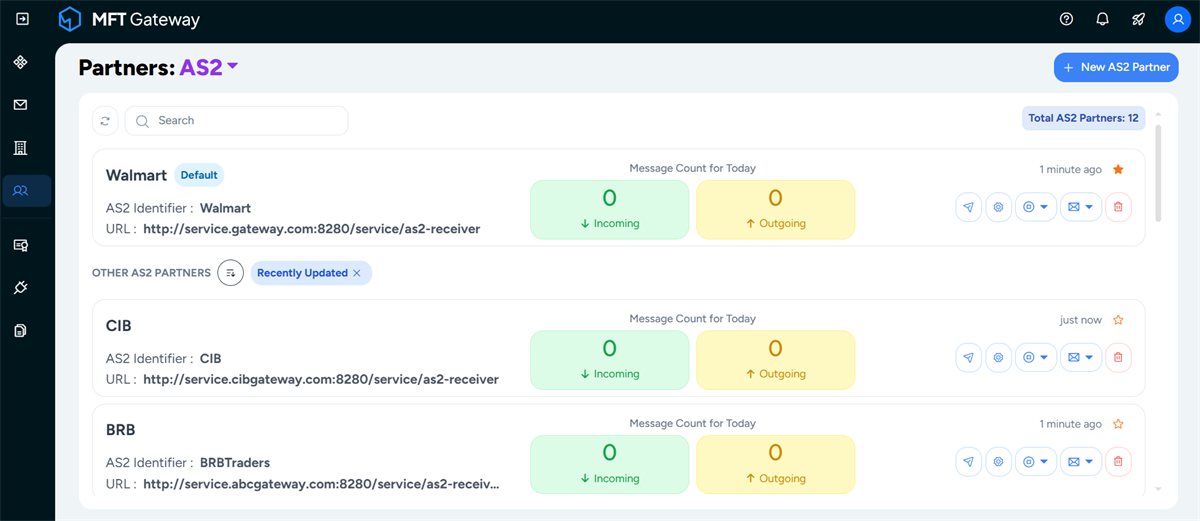
The Station and Partner list views in the MFT Gateway web application have a new look. The redesigned lists are cleaner and more visually appealing, making it easier to scan your stations and trading partners, find the one you need and get to its details quickly. For organisations managing a growing number of stations and partners, the refreshed layout makes everyday navigation and administration smoother and more intuitive.
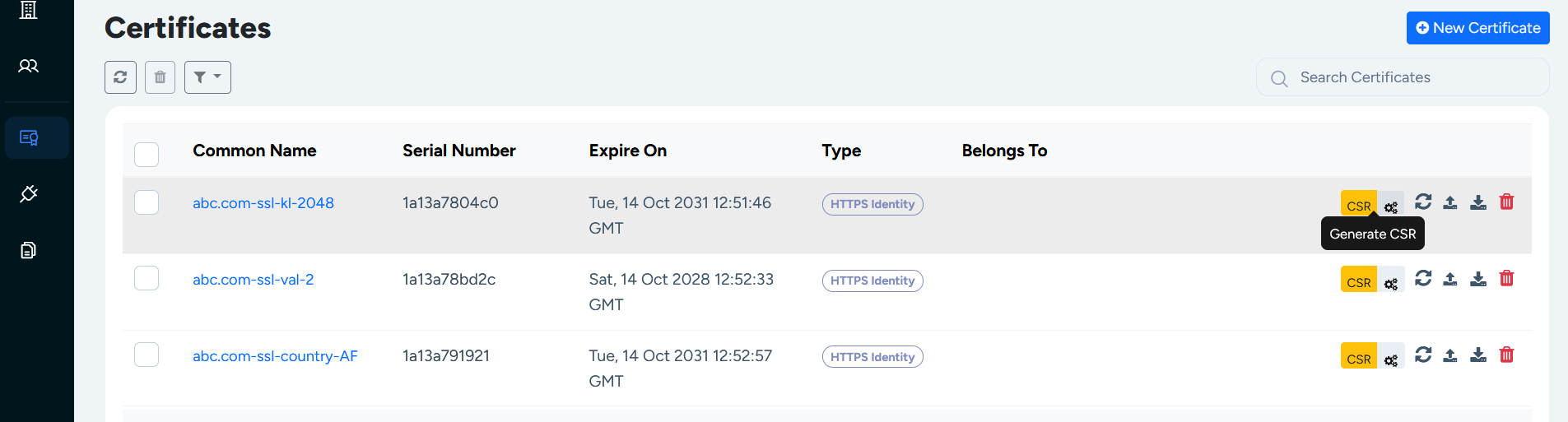
Customer feedback continues to shape how MFT Gateway evolves, and this enhancement came directly from a customer request. The Certificates page in the MFT Gateway web application now lets users generate Certificate Signing Requests (CSRs) for HTTPS Identity certificates and import the CA-signed certificate chains back in, just as is already possible for Station certificates. This keeps certificate management consistent across certificate types, makes it easier to meet organisational security policies that require CA-signed certificates, and cuts down on manual steps.
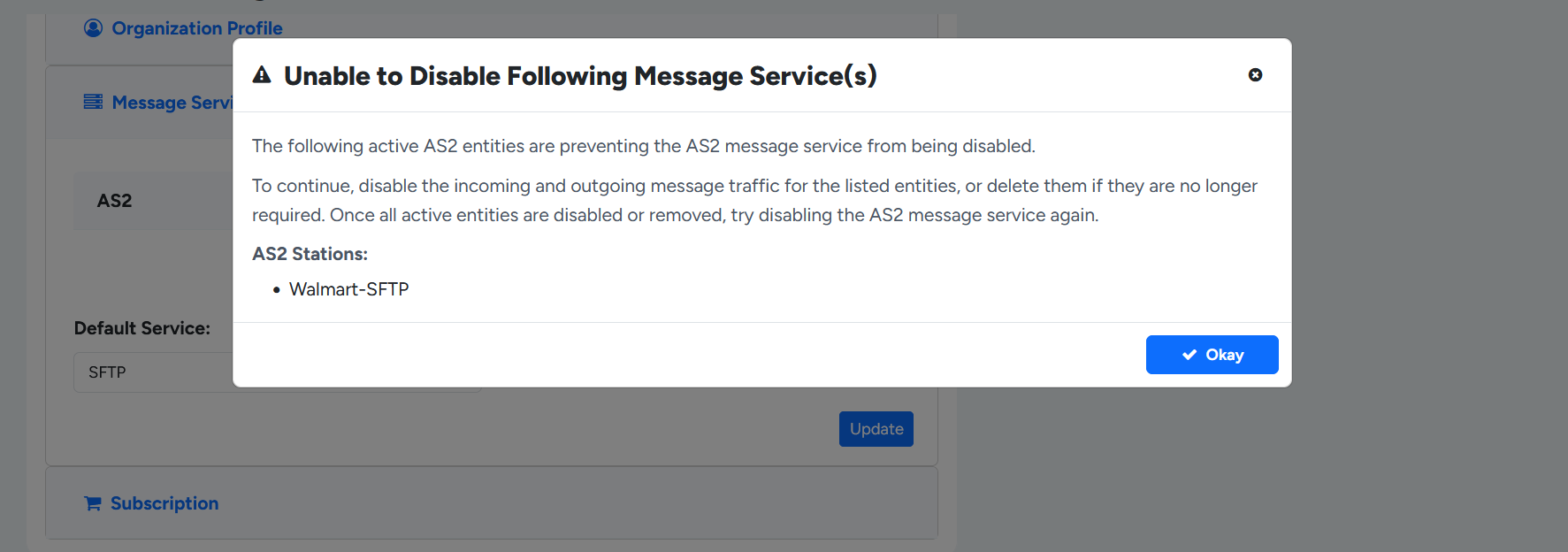
MFT Gateway now protects users from accidentally disabling a message service that is still in use. Previously, users could disable the AS2 or SFTP message service even while enabled stations or partners still depended on it. This could leave configurations inconsistent and interrupt communication with trading partners. Now, if active stations or partners exist for a service, MFT Gateway shows a warning and doesn’t allow the message service to be disabled from the Organization Profile.
That wraps up the highlights of MFT Gateway 3.17.7. Together, these updates connect you to more trading partners through SFTP Client Mode, make everyday navigation more pleasant, bring full CA-signed certificate support to HTTPS Identity certificates, and add safeguards that protect your partner communications, all while continuing to build on MFT Gateway’s serverless, AWS-native foundation.
Sign Up for a 30 day Free Trial! Stay tuned for more updates!
Get full access to whichever product fits your needs. Configure real trading partner connections, run end-to-end transactions, and see the platform perform before making any commitment. All three products include a free 30-day trial with no restrictions.