


Hosted SaaS solution for AS2 and SFTP file transfer. No infrastructure, instant setup.
Start Free Trial
MFT Gateway 3.15.5 update delivers support for improved message search, enhanced message filters, troubleshooting instructions and more.
Published: 13 May 2026
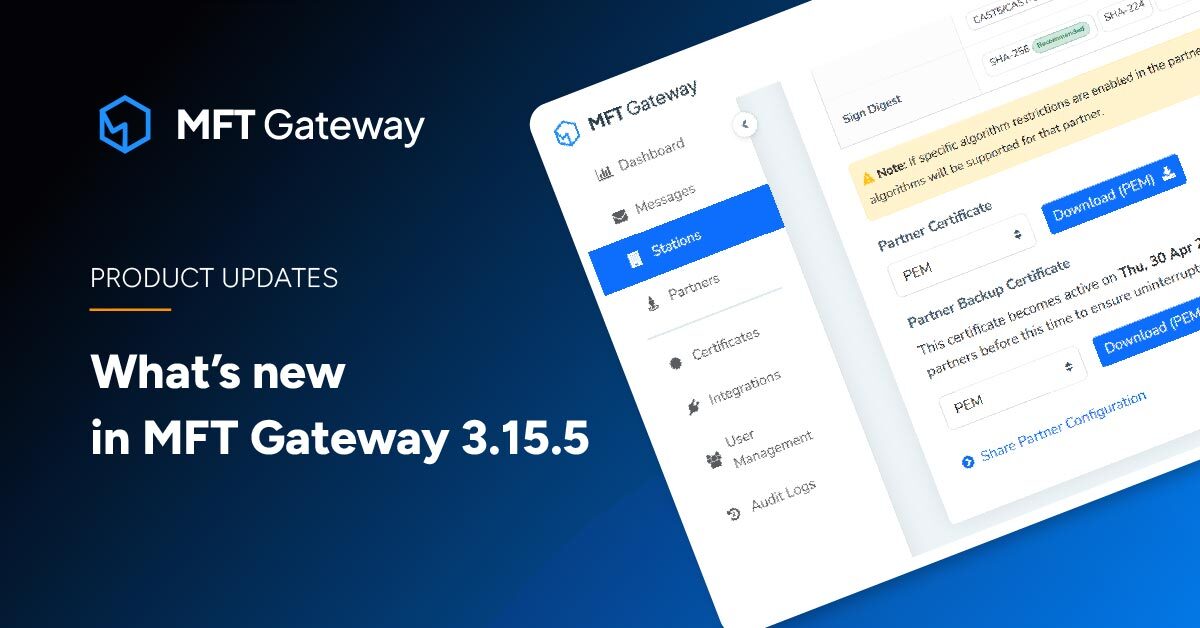
Aayu Technologies LLC has recently released MFT Gateway 3.15.5, and the latest update supports search messages by attachment name via REST API, email notifications for scheduled certificate activations, timestamp-based subdirectory naming for incoming files and more. Let’s dive into the new version to explore what’s new.
Prior to the update, the MFT Gateway REST API only allowed retrieving messages when the AS2 message identifier was known. Now, MFT Gateway introduced a REST API search capability that allows querying messages by attachment name. This would enable customers to programmatically locate files even when UI indexing is delayed and when message IDs are not available.
| Method: | GET |
| Endpoint: | https://api.mftgateway.com/message/byAttachment?attachmentName |
| Mandatory Headers: | Authorization - Authorization header with auth token |
| Mandatory Query Parameters: | service - as2/sftp (String) attachmentName - Attachment name to filter messages (String) |
| Optional Query Parameters: | from - Filter message identifiers from a specified date (String / YYYY-MM-DD) to - Filter message identifiers up to a specified date (String / YYYY-MM-DD / dependent upon ‘from’ filter) |
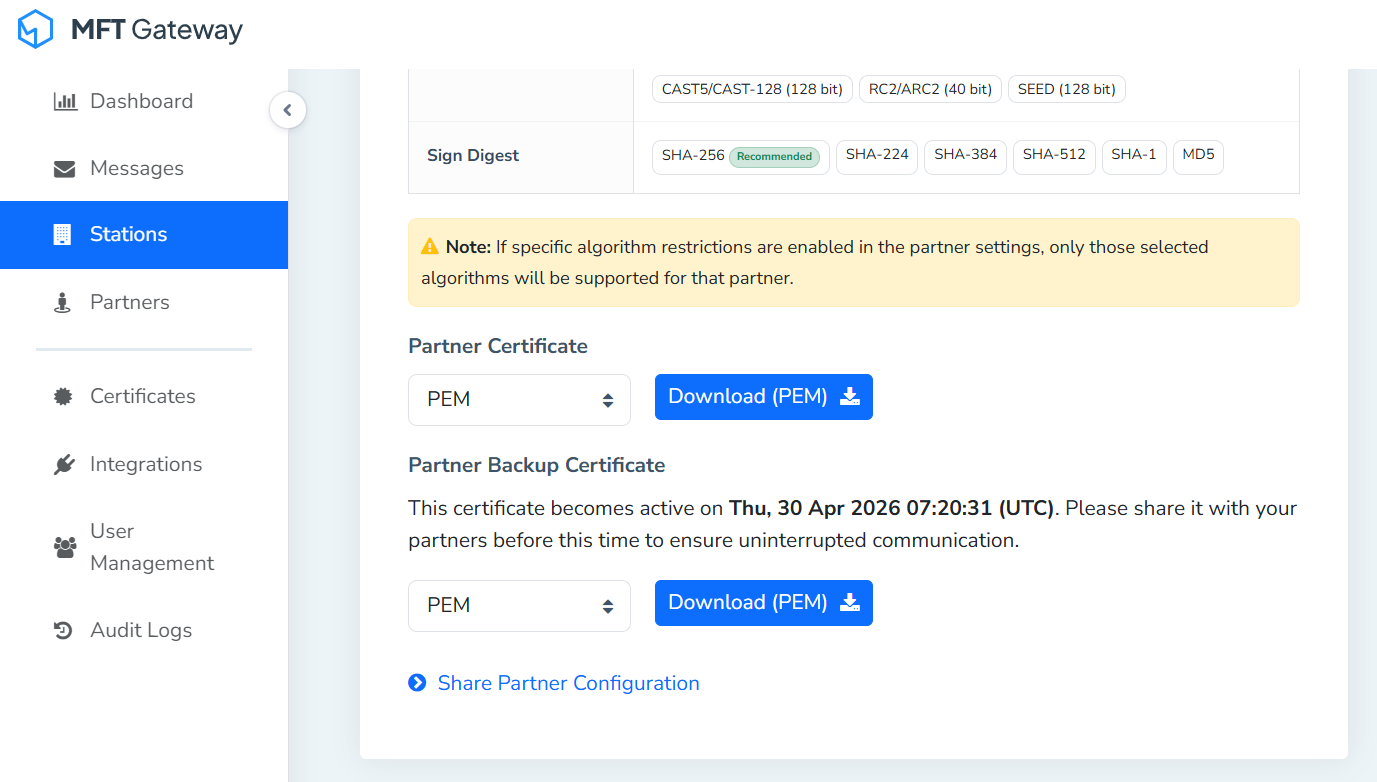
To improve transparency and ease of collaboration, the Partner Configuration view now displays both active and backup certificates side by side. While backup certificates were already included when sharing the Partner Configuration email, they were not previously visible in the configuration view itself. With this enhancement, users can clearly see all configured certificates in one place, making it simpler to verify details and share complete information with partners.
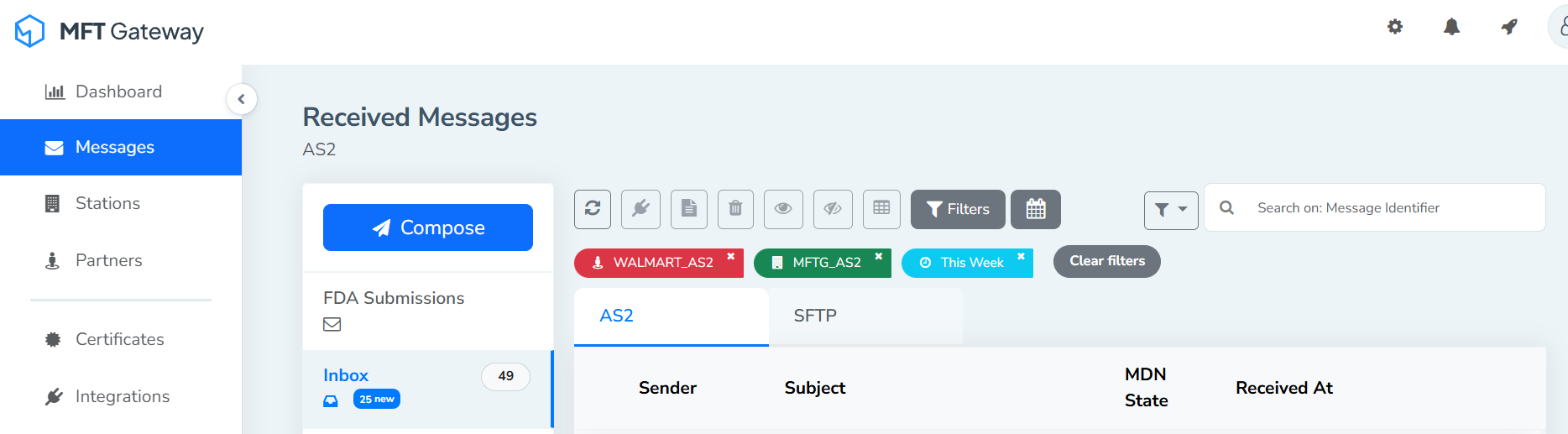
Now, any filters the user applies to message list views, such as Station/Partner or Timestamp, will automatically carry over to all other message list views, so the user doesn’t have to reapply them each time. This ensures consistency when switching between views. Additionally, a new “Clear All Filters” button has been added, allowing users to quickly remove all applied filters at once.
Failure notifications are now more helpful and informative. Each email will include concise troubleshooting steps, possible reasons for the failure, or links to relevant documentation. This enhancement empowers users to quickly understand issues, take corrective action, and reduce downtime without needing to search elsewhere for guidance.
Now, when users update non-certificate fields on a station or partner configuration, the system will automatically check for attached expired certificates. If any expired certificates are detected, the user will be notified at the time of saving the changes. This ensures that certificate validity issues are surfaced promptly, even when the update is unrelated to certificate fields, helping maintain secure and compliant integrations.
Along with the above change, in the certificate dropdown lists, expired certificates will be automatically disabled to prevent selection. Each expired certificate will display an expiry indication, ensuring users are aware of its invalid status. This helps maintain secure configurations by preventing accidental use of expired certificates while still providing visibility into their presence.
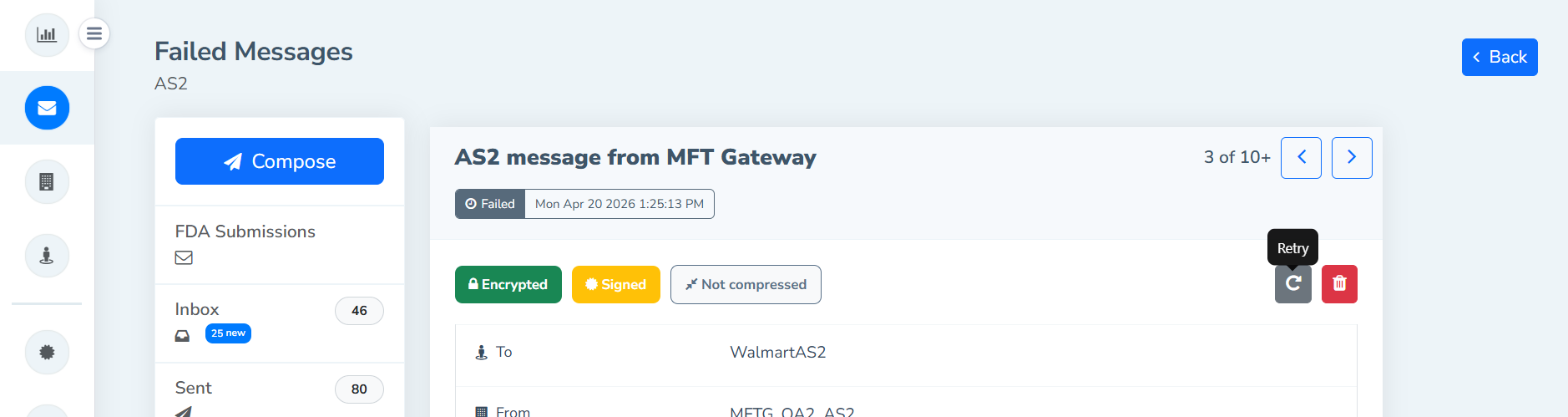
With the new update, the message detail views will have “Previous” and “Next” navigation buttons to allow users to move directly between consecutive messages. This functionality will remain active when a filter or search query is applied, ensuring users can seamlessly browse through the filtered or searched message set without returning to the main list. This enhancement intends to improve efficiency and usability by streamlining navigation in both standard and filtered contexts.
Now the AS2 Queued, Incomplete, and Failed individual message detail views will have a “Retry” option that mirrors the existing retry functionality available in the message list view. This enables users to reprocess or resend a specific message directly from its detail page, improving usability and consistency by offering the same retry capability across both list and detail contexts.
You can now schedule the activation of a backup signature verification certificate even if no specific active certificate exists, simplifying setup and reducing downtime during onboarding.
Implement support for receiving asynchronous MDNs via an inbound static IP address. Previously, asynchronous MDNs were accepted only through the default message receiving endpoint. With the latest update, MFT Gateway provides support for receiving asynchronous MDNs through the large-payload endpoint, enabling inbound static IP.
Previously, when a scheduled certificate (station or partner) is activated or failed activation, the users were not notified via emails. With the latest release, automated email alerts will notify users when scheduled certificate activations occur, ensuring visibility and timely awareness of certificate changes.
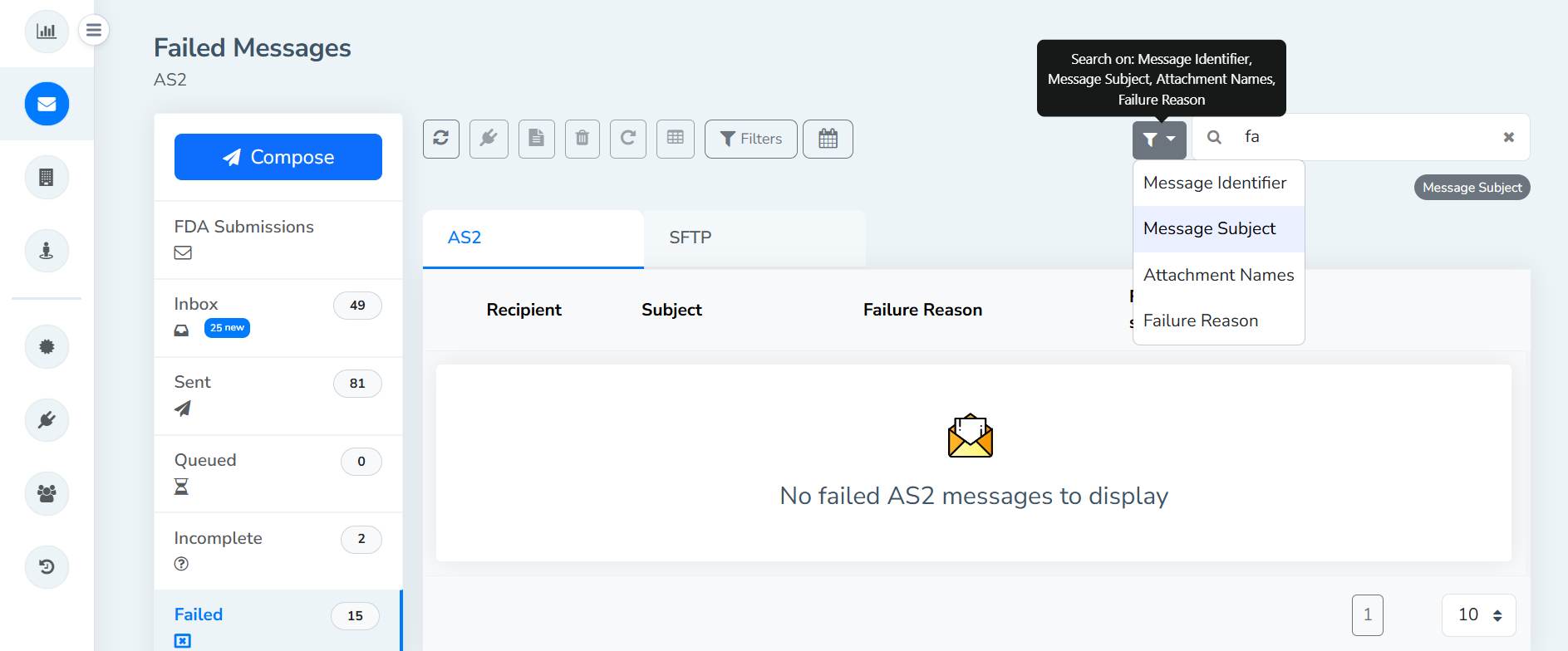
The message search bar now defaults to exact match queries, improving precision. Wildcards can still be used when broader search results are needed.
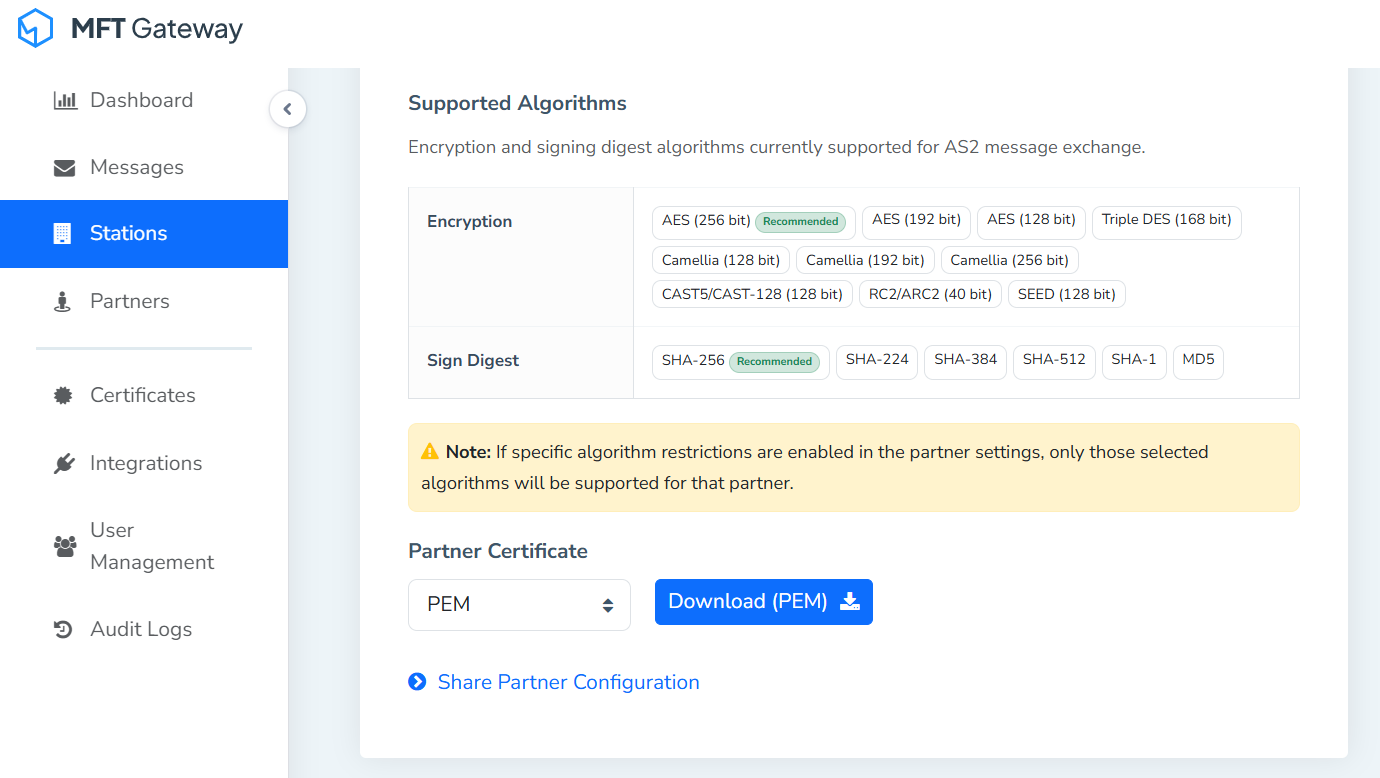
Supported encryption and signing algorithms are now displayed in both the AS2 Partner Configuration view and Partner Configuration email, making it easier to confirm compatibility and security settings.
Restored the message filter dropdown with listwise customized filter options, allowing users to select the message filter type, streamlining search and filtering workflows.
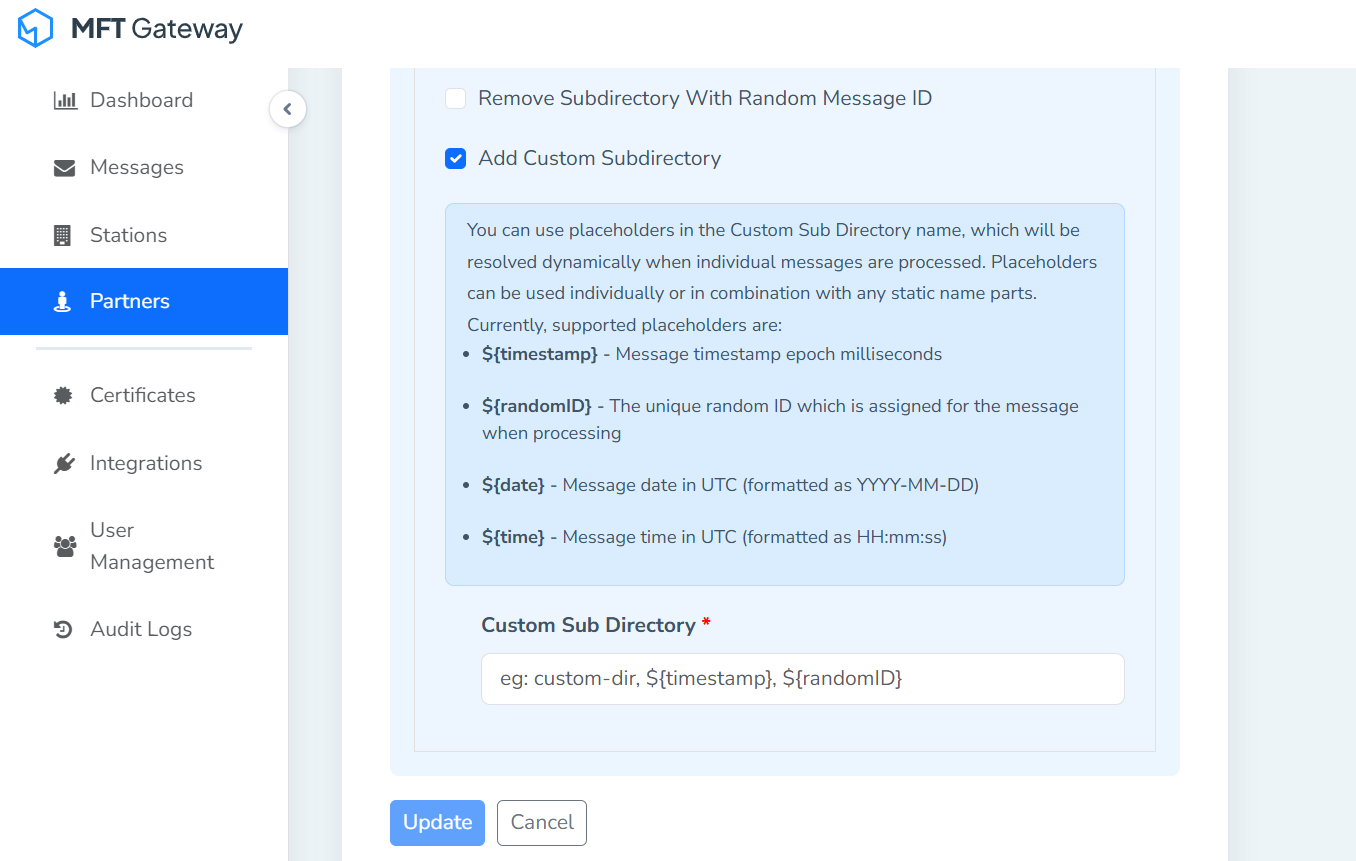
MFT Gateway now supports configurable timestamp-based subdirectory naming formats for persisting files. Users can define timestamp-based folder names that accurately reflect when each file was received/sent. This enhancement ensures reliable tracking, prevents overwriting, and improves visibility in SFTP clients like WinSCP.
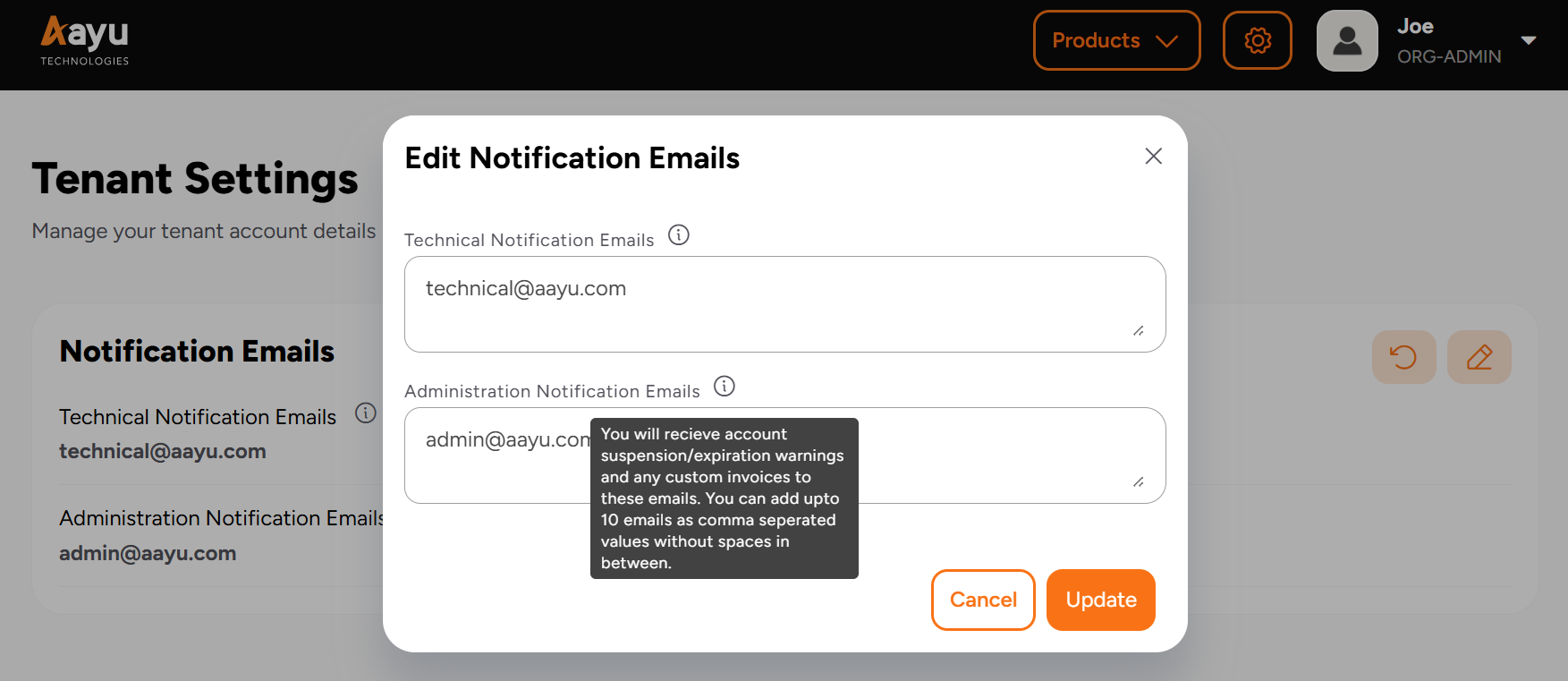
MFT Gateway notification emails are now separated by purpose, reducing clutter and making it easier to identify the context of each notification. This configuration is available under the Aayu Accounts; the user management module of MFT Gateway.
The option to upload partner certificates directly from the keystore on the Certificate page has been reintroduced. This feature, previously available but inadvertently removed, is now restored to simplify certificate management.
To summarize what’s new in MFT Gateway’s new release, the latest deployment supports search messages by attachment name via REST API, backup certificates now available in the Station’s Partner Configuration page, enhanced filter persistence in message list views, troubleshooting instructions in message failure notifications, notify users of expired certificates on save, if non-cert fields are updated on station and partner, disable expired certifications on certificate dropdown lists with expiry indication, add Previous/Next navigation buttons in message detail view, retry option on the individual message detail view, allow scheduling of initial signature verification certificate without prior active certificate, support for receiving asynchronous MDNs via an inbound static IP address, email notifications for scheduled certificate activations, message Search bar should default to exact match unless wildcard is used, display supported encryption and signing algorithms in AS2 Partner Configuration view and email, message search bar filters, support timestamp-based subdirectory naming, separate MFT Gateway notification email sending based on purpose, and restored uploading partner certificate from keystore option on the Certificate page. Give it a try and let us know what you think.
Sign Up for a 30 day Free Trial! Stay tuned for more updates!
Get full access to whichever product fits your needs. Configure real trading partner connections, run end-to-end transactions, and see the platform perform before making any commitment. All three products include a free 30-day trial with no restrictions.








