


Hosted SaaS solution for AS2 and SFTP file transfer. No infrastructure, instant setup.
Start Free Trial
Discover EDI Generator 1.5.6 with new PDF specification generation, improved EDI processing, enhanced inbox/outbox tracking, CSV export, and editor upgrades for a better user experience.
Published: 22 Jun 2026
Aayu Technologies LLC has recently released EDI Generator 1.5.6. This release introduces enhancements to EDI processing, document management, and user experience across the platform. New capabilities includes the ability to generate EDI specification PDFs directly from EDI definitions, automatic omission of unsupported elements during EDI auto generations, enhanced Inbox and Outbox views with improved message traceability, CSV export functionality for inbox messages, and several improvements to the EDI editor and validation experience.
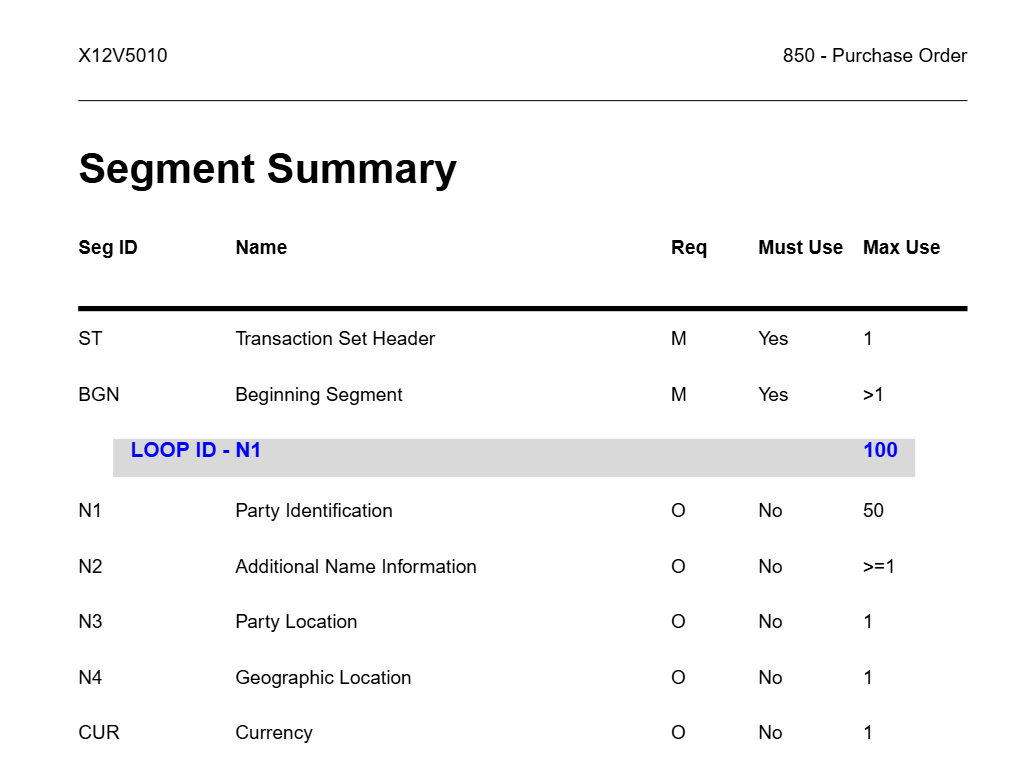
EDI Generator now supports the generation of comprehensive EDI Specification PDFs directly from EDI definitions. This feature enables organizations to create formal documentation from their configured EDI definitions, making it easier to share specifications with trading partners, and maintain technical documentation. The generated PDF includes all information required for EDI implementation and serves as a convenient reference for both business and technical teams involved in EDI integrations.
The Inbox and Outbox views have been enhanced to provide additional message details that simplify troubleshooting and message tracking. Users can now access information such as file names and transport-level identifiers, including SFTP and AS2 message IDs, directly from the EDI Generator interface. These additions make it easier to correlate EDI Generator messages with their corresponding AS2 or SFTP transactions in MFT Gateway, improving operational visibility and reducing the time required to investigate message delivery or processing issues.
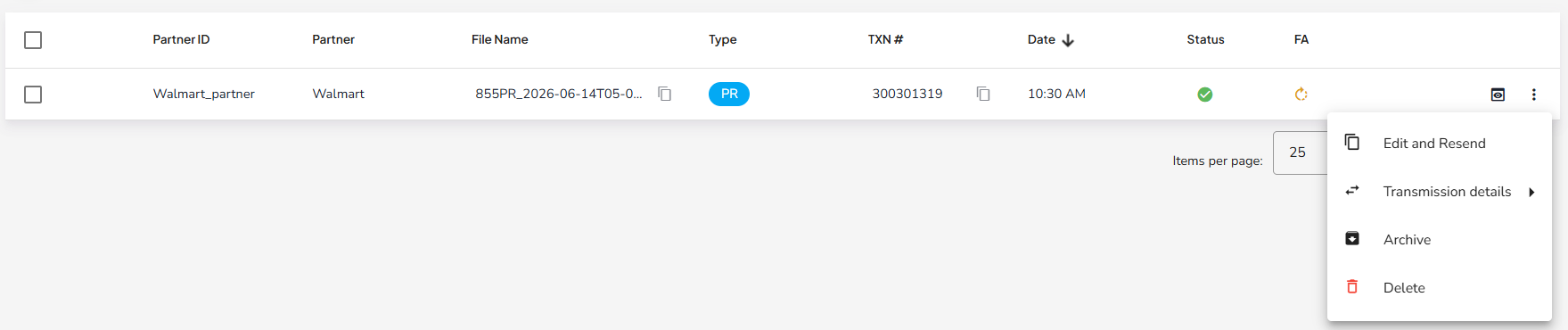
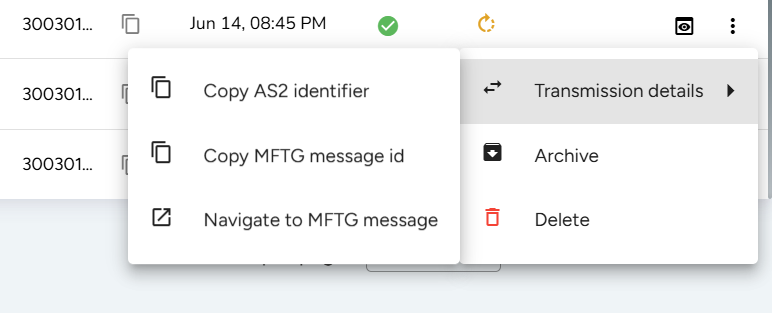
To improve reporting and operational analysis, EDI Generator now provides the ability to export Inbox information to CSV format. This feature allows users to easily extract message data for auditing, reporting, troubleshooting, and external analysis using spreadsheet and business intelligence tools. The exported information helps organizations gain greater visibility into message activity and simplify operational reporting processes.
This release includes several fixes and usability enhancements to the EDI Editor aimed at improving the overall document editing experience. The editor now supports automatically omitting unsupported elements from incoming EDI documents when generating outgoing files, helping produce cleaner and more compliant EDI transactions. Additional improvements focus on increasing stability, simplifying document maintenance, and providing a more intuitive workflow when creating, editing, and validating EDI documents. Together, these enhancements help users work more efficiently while reducing the likelihood of configuration and validation errors.
EDI Generator 1.5.6 continues to improve the platform’s flexibility, usability, and operational visibility. The addition of EDI Specification PDF generation simplifies documentation management, while enhanced Inbox and Outbox views provide better traceability across EDI Generator and MFT Gateway. Improvements to EDI processing, data export capabilities, and the EDI Editor further streamline day-to-day operations and support more efficient EDI implementations. Together, these enhancements make EDI Generator an even more powerful and user-friendly platform for modern business integrations.
Get full access to whichever product fits your needs. Configure real trading partner connections, run end-to-end transactions, and see the platform perform before making any commitment. All three products include a free 30-day trial with no restrictions.








