


Hosted SaaS solution for AS2 and SFTP file transfer. No infrastructure, instant setup.
Start Free Trial
EDI Generator 1.7.6 unifies X12 and EDIFACT document lists, adds EDIFACT REST API support, Test Console validation results, and flexible file naming.
Published: 28 Oct 2026
We are excited to announce the official release of EDI Generator 1.7.6! Following our initial EDIFACT release in 1.6.8, this version brings X12 and EDIFACT together into a unified experience. In this release, you can now set your organization to use X12, EDIFACT, or both standards, allowing you to manage your core business documents (such as Invoices, Ship Notices, and Order Responses) in a single shared list. Alongside this update, we have added EDIFACT support to our REST API, improved the Test Console with clearer validation results, introduced an enhanced formatted view that covers all EDI fields, and added more flexible file naming options.
Here is an in-depth look at what’s new in version 1.7.6.
Previously, the seven primary outgoing business document types were available only for X12, while their EDIFACT equivalents had to be managed under Additional Outgoing Types. With version 1.7.6, both standards now share the same list under the Retail and Shipping document management sections.
Organizations can now configure which EDI standards they use, X12, EDIFACT, or both, under Account Settings.
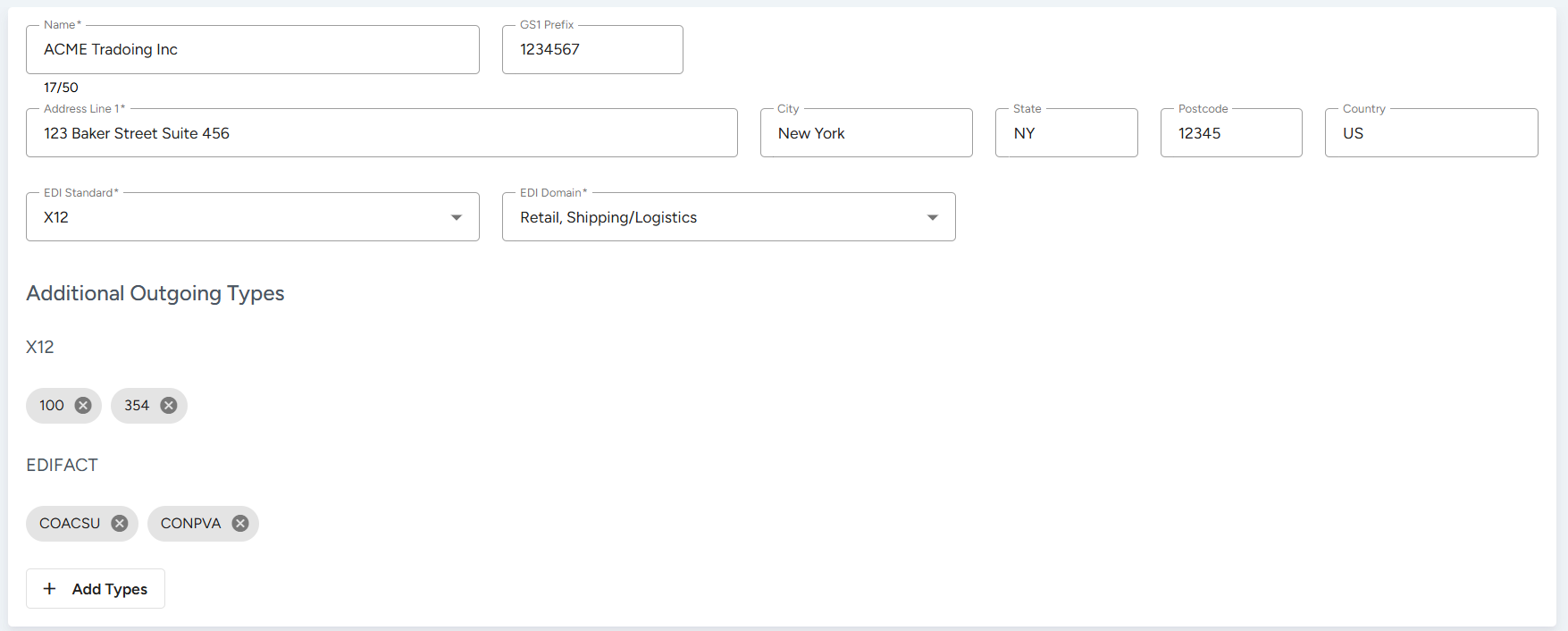
New users are also asked to select their standard during signup, which can be adjusted later from Account Settings. This keeps the interface clean and simple by hiding any standard options you don’t need.
Instead of switching between separate X12 and EDIFACT views, you can now find and manage documents from both standards in a single, shared list.
| Domain | X12 Transaction | EDIFACT Message | Document List Name |
|---|---|---|---|
| Retail | 855 (Purchase Order Acknowledgment) | ORDRSP (Purchase order response) | Order Responses |
| Retail | 856 (Ship Notice/Manifest) | DESADV (Despatch advice) | Ship Notices |
| Retail | 810 (Invoice) | INVOIC (Invoice) | Invoices |
| Retail | 846 (Inventory Inquiry/Advice) | INVRPT (Inventory report) | Inventory Status |
| Shipping | 990 (Response to a Load Tender) | IFTMBC (Booking confirmation) | Tender & Booking Responses |
| Shipping | 210 (Freight Invoice) | IFTFCC (Freight costs/charges) | Freight Invoices |
| Shipping | 214 (Shipment Status) | IFTSTA (Multimodal Status report message) | Shipment Status |
You can now send, retrieve, and manage EDIFACT messages through our REST API, just like you do with X12:
For complete endpoint descriptions, parameters, and example requests, check out our Postman API Documentation.
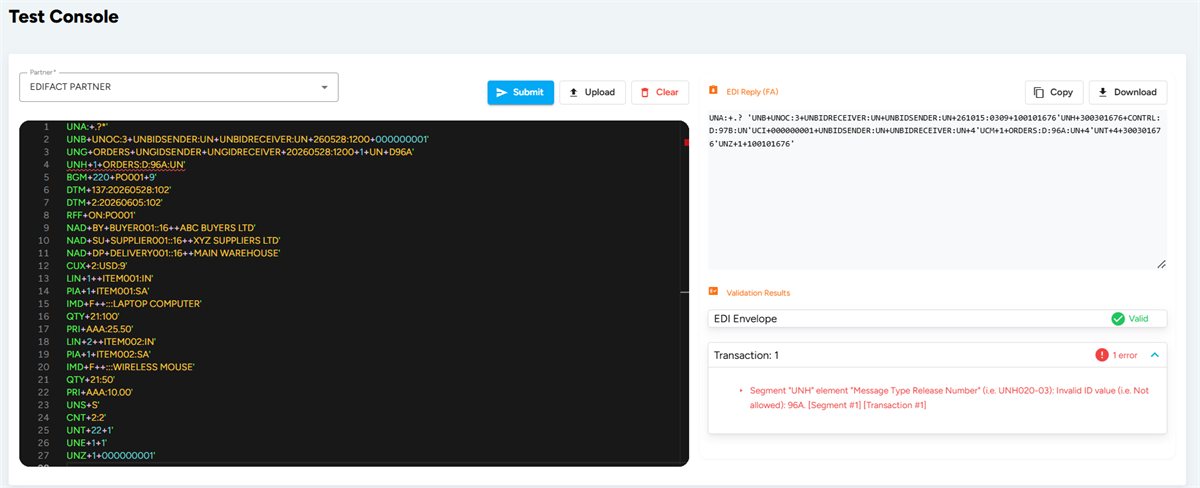
We updated the Test Console to give you better feedback when testing incoming EDI files:
Previously, the formatted view for outgoing documents only displayed a subset of summary fields. In version 1.7.6, we’ve introduced an Enhanced Formatted View across all outgoing documents, including the Outbox, the primary document types, and additional outgoing defined types.
We have enhanced the Outgoing Filename Format and Response Filename Format settings under Account Settings to give you better control over generated file names.
For a complete list of supported placeholders and configuration examples, refer to our Documentation.
Continuing our user interface and user experience modernization initiative, we have further revamped several core areas of the interface in this version. In addition, this release includes several functional enhancements and fixes:
EDI Generator 1.7.6 represents our biggest step forward in making multi-standard EDI management intuitive, unified, and user-friendly. All these updates are now live on your EDI Generator dashboard. We hope these improvements make your daily EDI workflows smoother.
If you have questions or need assistance onboarding your next trading partner or with anything else, please feel free to reach out to our Support Team.
Stay tuned for what’s coming next!
Get full access to whichever product fits your needs. Configure real trading partner connections, run end-to-end transactions, and see the platform perform before making any commitment. All three products include a free 30-day trial with no restrictions.