


MFT Gateway is a hosted Software as a Service (SaaS) solution that enables file exchange over the AS2 or SFTP protocol, without the need to install or maintain.
Start Free Trial
MFT Gateway 3.14.4 update delivers new AS2 & SFTP features, automated retries, HTTPS backup certificate scheduling, and expanded REST API capabilities
Published: 16 Jan 2026
As the world’s first Serverless Managed File Transfer software on AWS, Aayu Technologies LLC has recently released MFT Gateway 3.14.4; the latest update introducing new features such as temporarily blocking incoming and outgoing messages for selected SFTP partners, automatic message retries at fixed intervals, create certificates through REST API, and more. Let’s dive into the new version to explore what’s new.
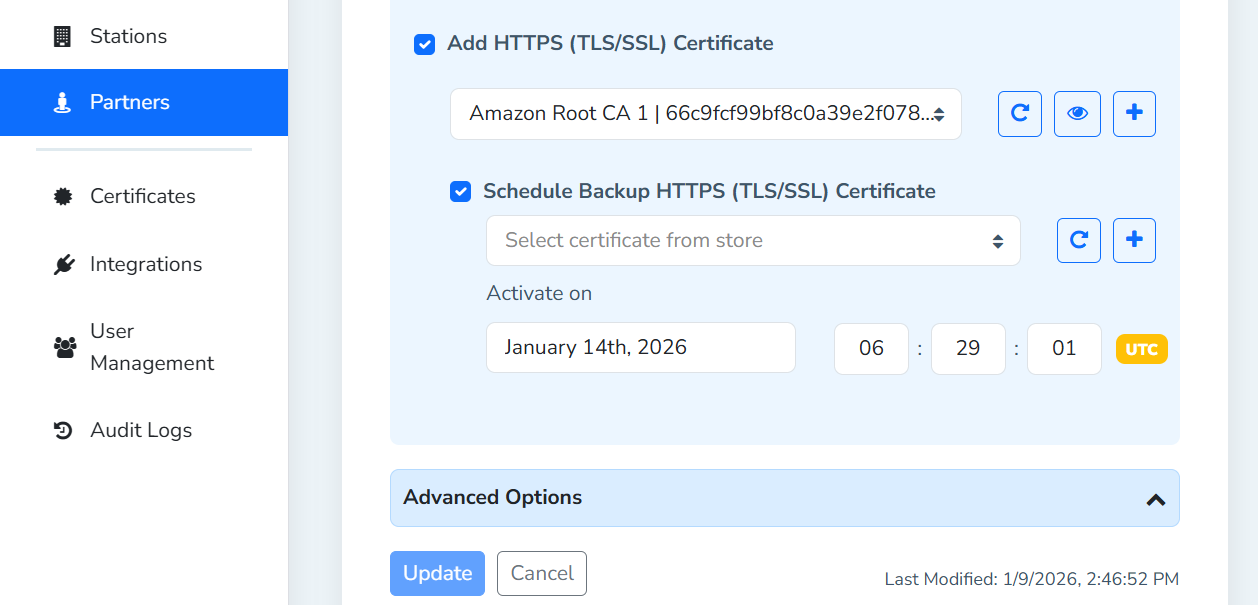
Prior to the latest release, scheduling backup AS2 Gateway certificates was limited to encryption and signature verification certificates, and with the new update, now it is available for HTTPs certificates as well via the Manage Partner view.
To align with the Webapp functionality, the same HTTPS backup certificate schedule capability has been extended to the REST API. This option is available via update AS2 gateway partner endpoint.
| Method | PUT |
| Endpoint | https://api.mftgateway.com/partner |
| Mandatory Headers | Authorization - Authorization header with auth token |
| Mandatory Query Parameters | Service - as2 (String) |
| Mandatory fields | identifier - Partner identifier (String) |
| Optional Fields | httpsBackupCertificate / httpsBackupCertificateAlias - Base64 encoded HTTPS certificate (Base64 encoded String) or valid existing HTTPS certificate alias from certificate store (String).The value for httpsBackupCertActiveTimeStamp is required to be set |
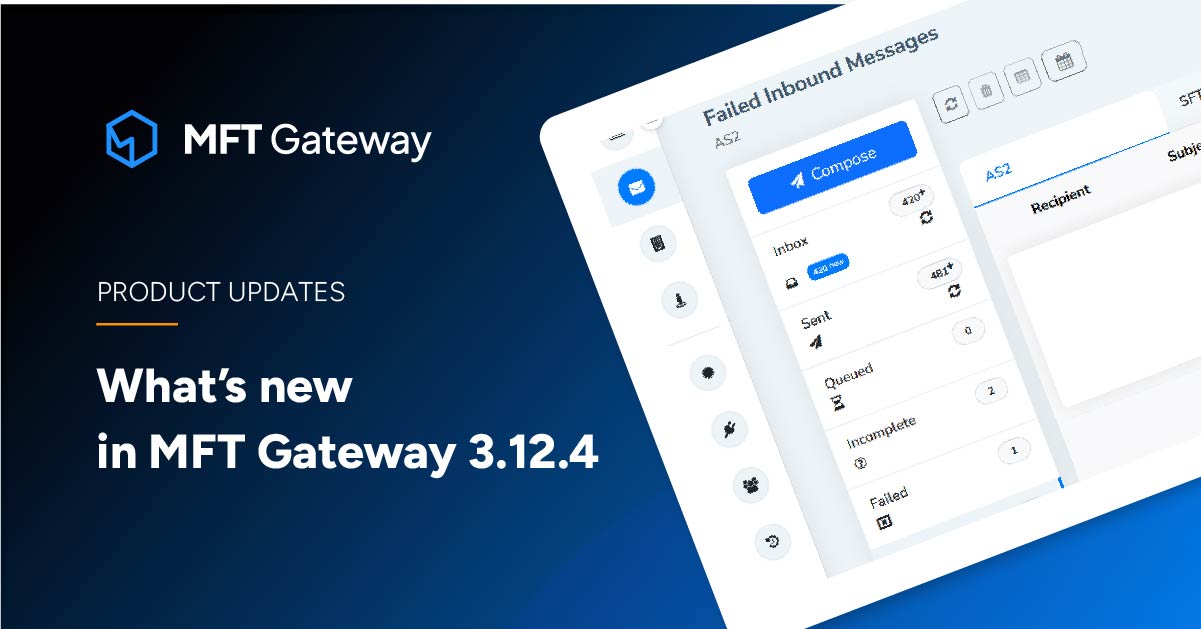
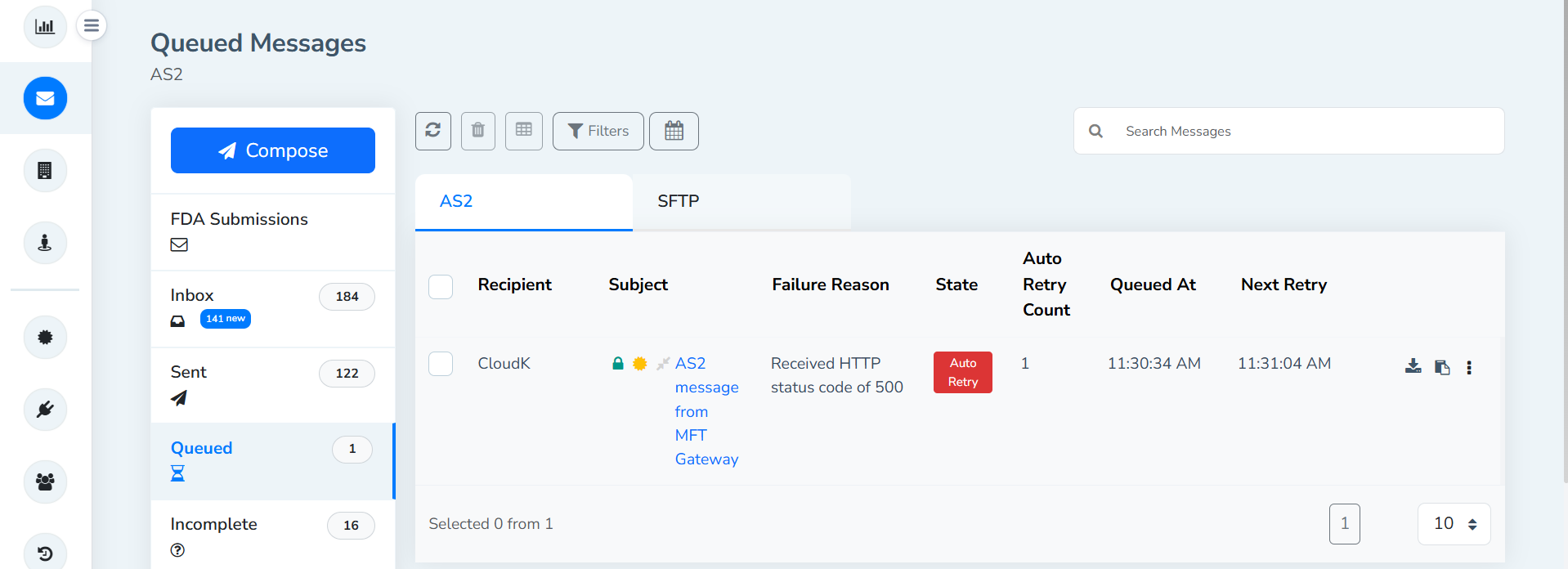
To improve transparency of the message queue and support monitoring and troubleshooting, MFT Gateway has added a column to the Queued Messages List that displays the next retry timestamp for each item. This allows users to quickly see when the system will attempt to resend a queued message.
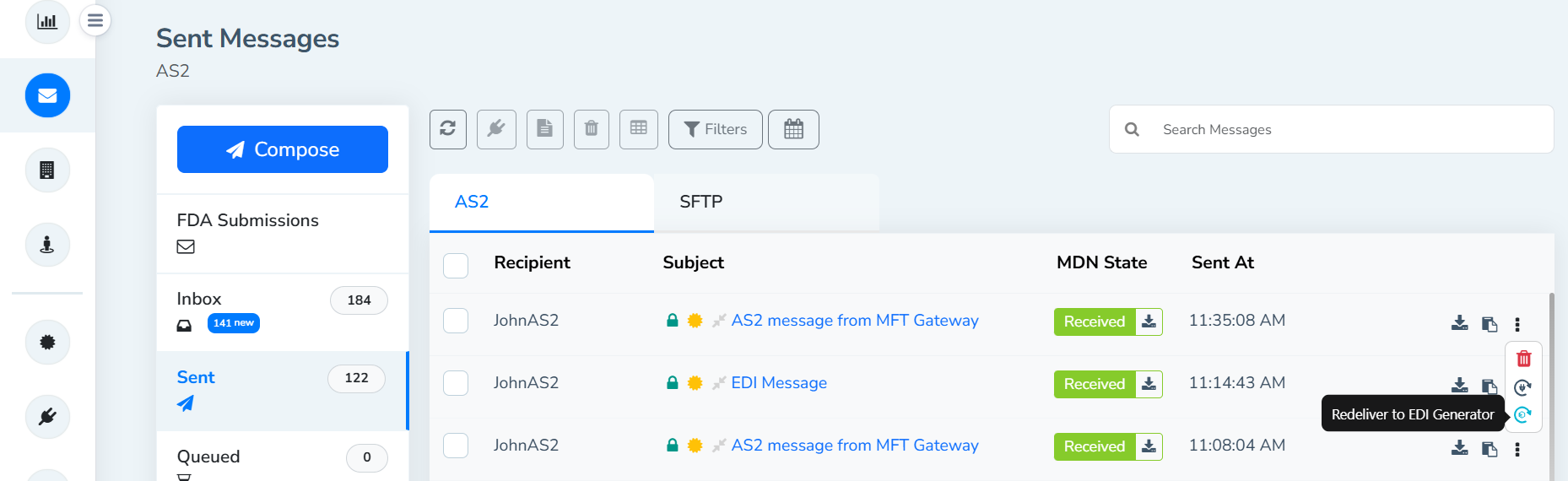
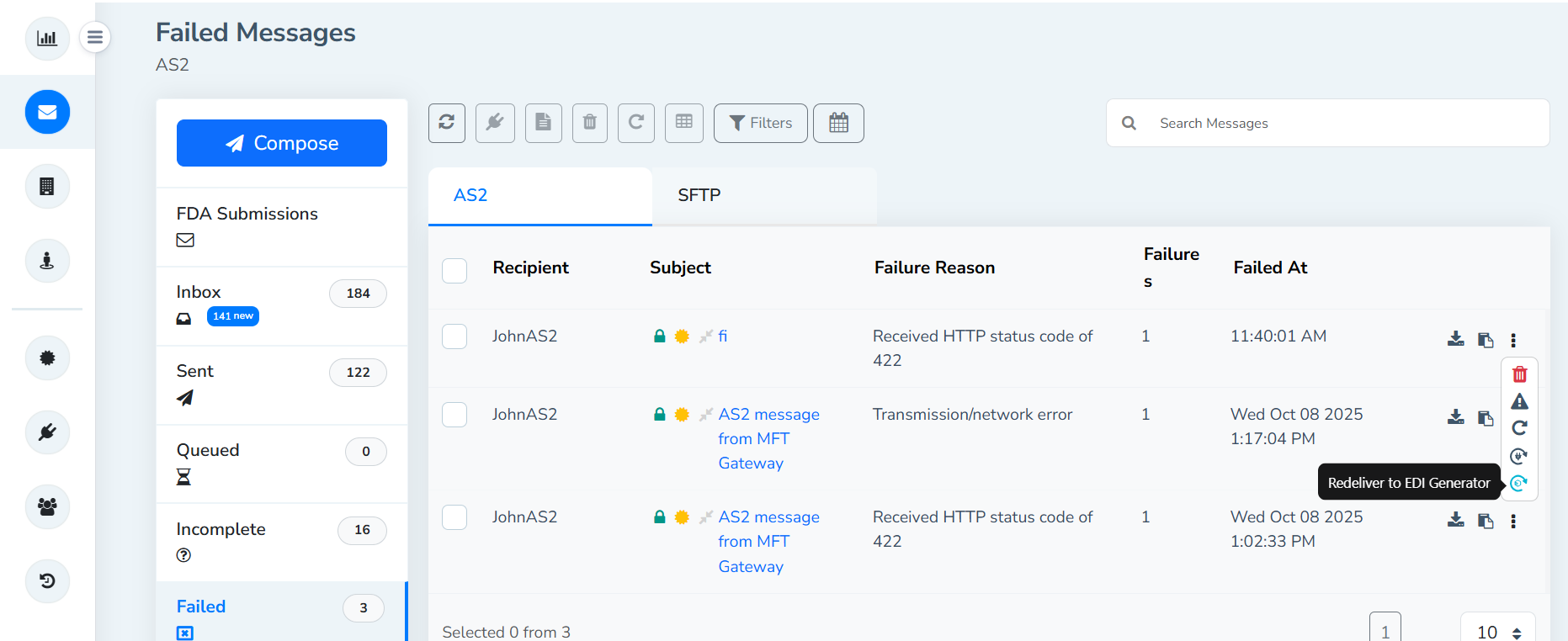
MFT Gateway has extended the Re‑trigger EDI Generator option beyond the inbox. This functionality is now available in the AS2 Gateway’s Sent and Failed message lists as well, allowing users to conveniently re‑trigger to EDI Generator directly from these views.
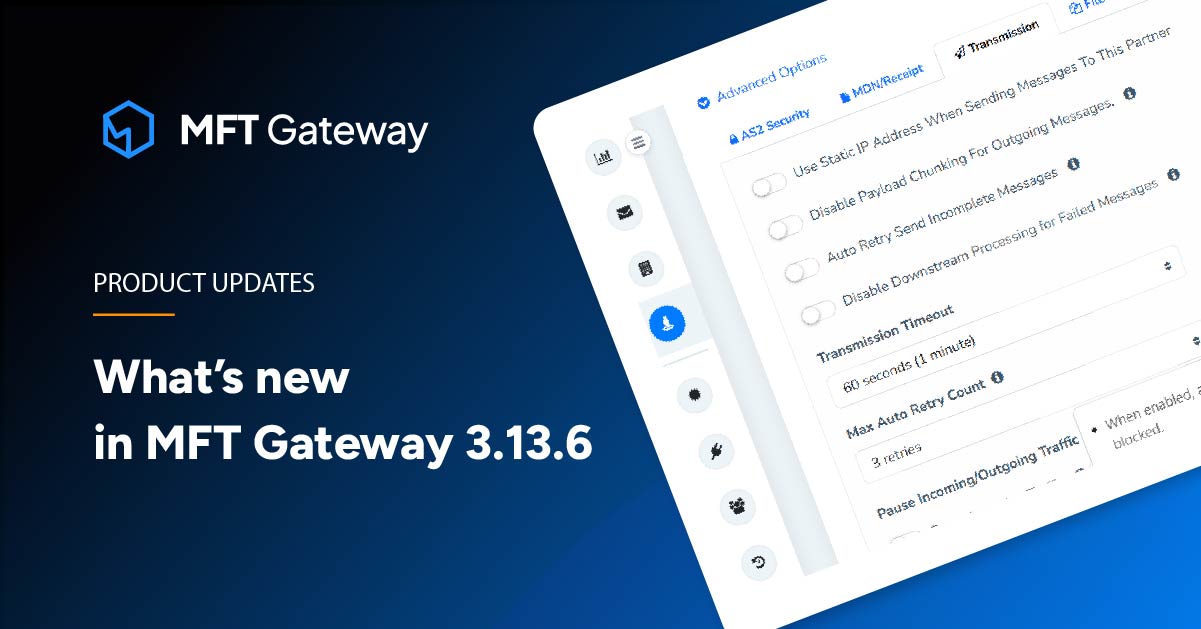
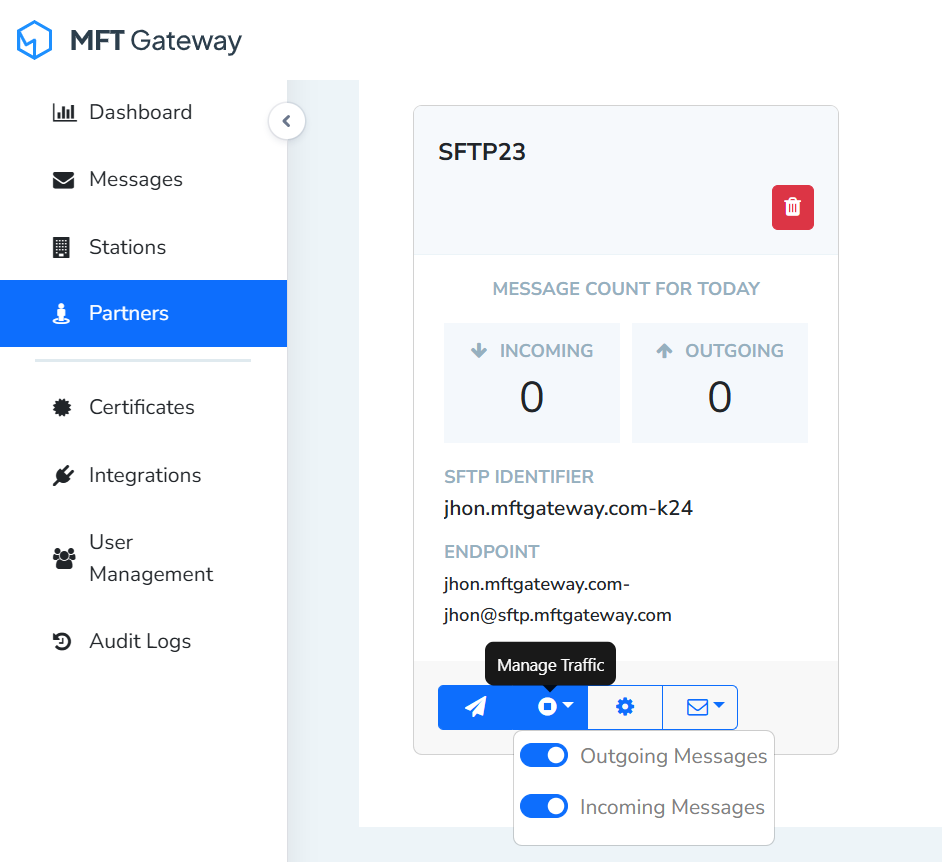
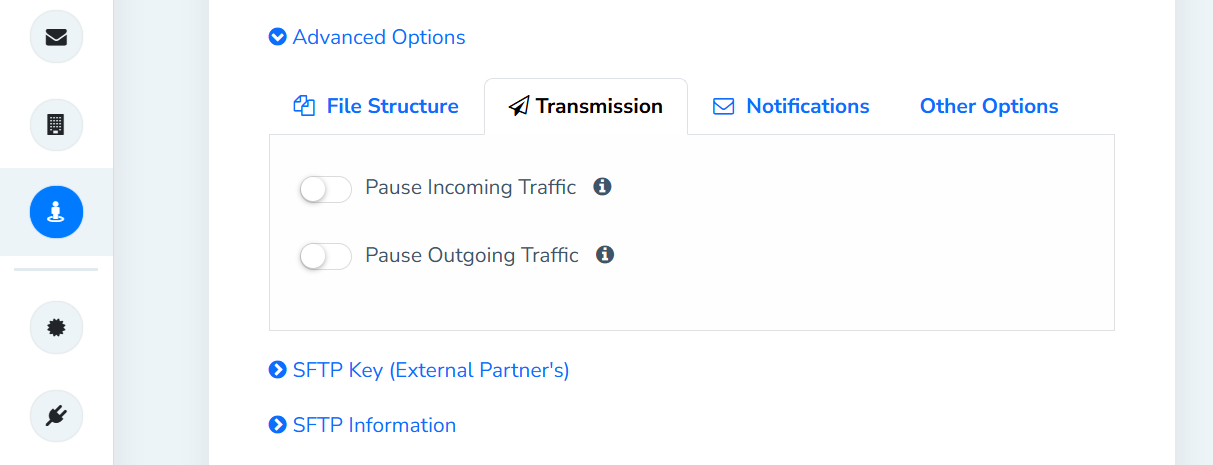
MFT Gateway has introduced a new control to temporarily block traffic for SFTP partners, which was previously available only for AS2 partners. This option is available in the SFTP partner card and the Manage Partner view.
To align with the Webapp functionality, the same temporary blocking traffic for an SFTP partner capability has been extended to the update partner REST API endpoint, ensuring consistent control over SFTP partner message flow across both manual and automated interfaces.
| Method | PUT |
| Endpoint | https://api.mftgateway.com/partner |
| Mandatory Headers | Authorization - Authorization header with auth token |
| Mandatory Query Parameters | Service - sftp (String) |
| Mandatory fields | identifier -Partner indentifier (String) |
| Optional Fields | pauseIncomingTraffic - Pause incoming traffic from the partner. (Boolean | Default: false) pauseOutgoingTraffic - Pause outgoing traffic to the partner. When set to true, traffic generated by webapp and all the integrations will be paused to the partner. (Boolean | Default: false) |
MFT Gateway has enhanced its message retry mechanism. In addition to the existing exponential backoff option, the system now supports automatic message retries at fixed intervals. This provides users with greater flexibility in configuring retry behavior, making it easier to balance reliability and predictability in message delivery. This option is available in the Manage Partner view.
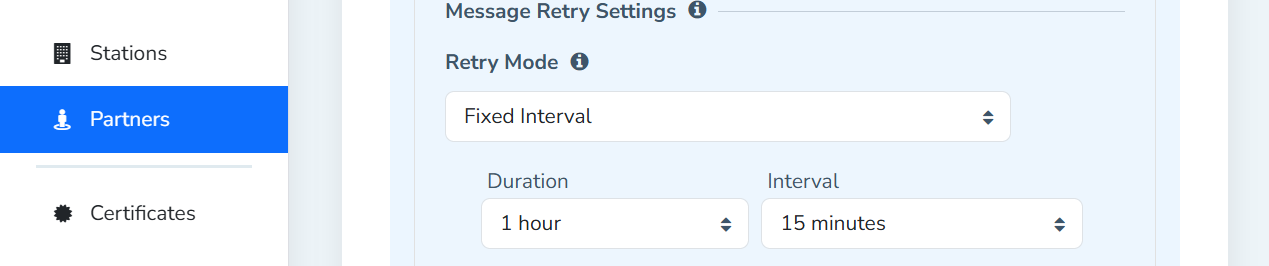
To align with the Webapp functionality, the same message retry capability has been extended to the REST API, ensuring consistent control over AS2 message flow across both manual and automated interfaces. This option is available via both create and update AS2 partner endpoints.
| Method | POST / PUT |
| Endpoint | https://api.mftgateway.com/partner |
| Mandatory Headers | Authorization - Authorization header with auth token |
| Mandatory Query Parameters | Service - as2 (String) |
| Mandatory fields | identifier - Station identifier (String) |
| OPtional field | msgRetryMode - Allowed values: exponential and fixed. If msgRetryMode is set to exponential, maxAutoRetryCount is required. And if msgRetryMode is set to fixed, msgRetryDuration and msgRetryInterval are required. (String | Default: exponential) msgRetryDuration - The total time duration for which the message will be retried. Allowed values: ‘1h’, ‘2h’, ‘6h’, ‘12h’, ‘1d’, ‘2d’ (String) msgRetryInterval - The time gap between each retry attempt. Allowed values: ‘15m’, ‘30m’, ‘1h’, ‘2h’, ‘6h’ (String) |
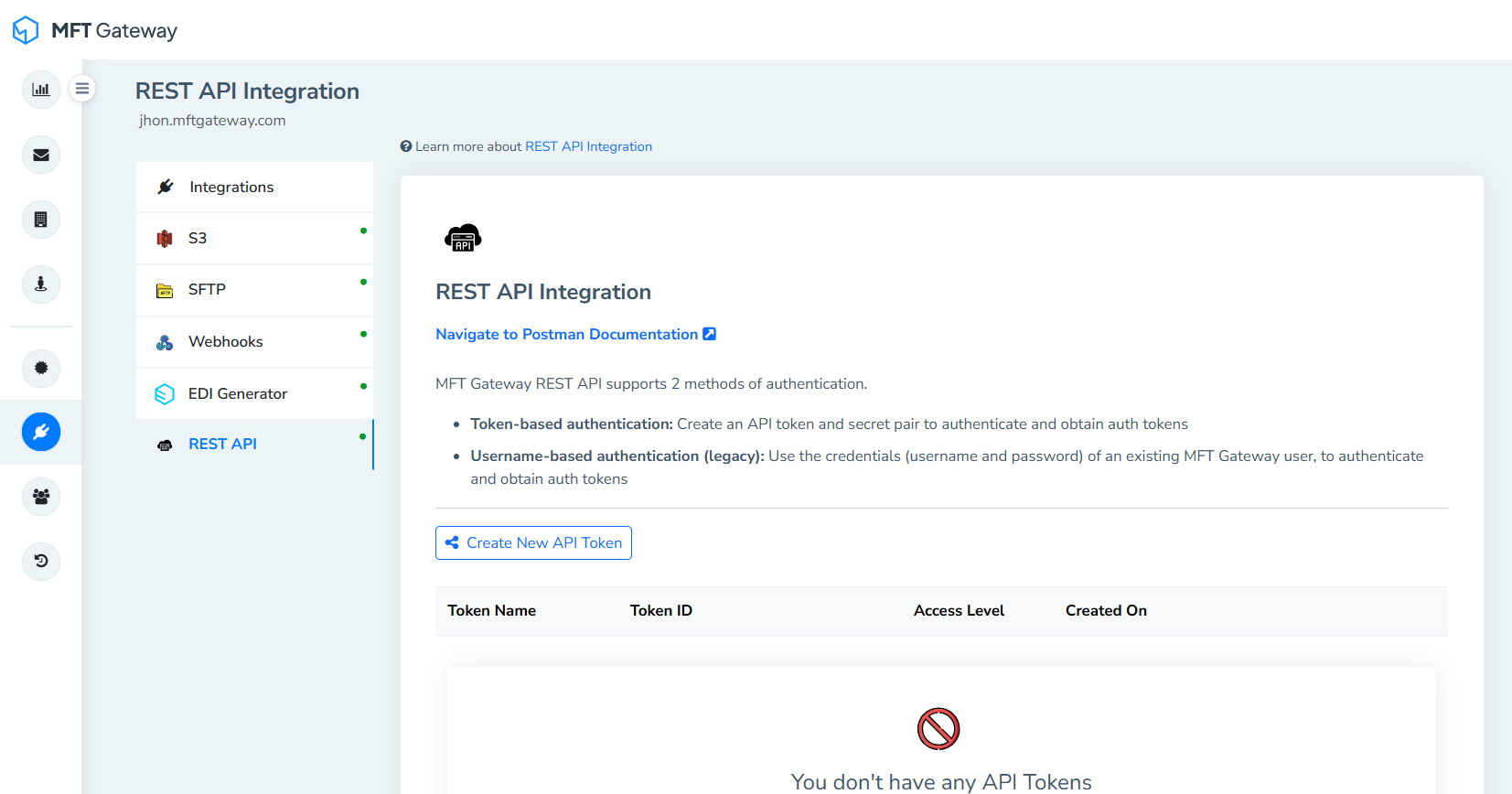
In addition to the existing username-password authentication method, MFT Gateway now supports token-based authentication for its REST API. Users can generate tokens via the web application and then use them within their REST API collections, providing enhanced security and flexibility for integration.
MFT Gateway has extended the ability to disable downstream processing of incoming failed AS2 messages to the REST API. Previously available only through the Webapp, this option can now be managed programmatically via API calls. Downstream processes such as webhook and EDI generator integrations can be disabled for incoming failed AS2 messages, giving users greater control and flexibility in handling message failures across automated workflows. This option is available via both create and update partner endpoints.
| Method | POST / PUT |
| Endpoint | https://api.mftgateway.com/partner |
| Mandatory Headers | Authorization - Authorization header with auth token |
| Mandatory Query Parameters | Service - as2 (String) |
| Mandatory fields | identifier - Station identifier (String) |
| OPtional field | disableDownstreamOnFailure - Disable downstream processing of failed messages. (Boolean | Default: false) |
MFT Gateway introduces a new endpoint under the Certificates Management module that allows users to download the public certificate associated with a given alias. This enhancement simplifies certificate management by enabling quick retrieval of public certificates directly through the API, supporting secure integrations and easier configuration of partner systems.
| Method | GET |
| Endpoint | https://api.mftgateway.com/certificate/:alias/download |
| Mandatory Headers | Authorization - Authorization header with auth token |
| Mandatory Query Parameters | service - as2(String) |
New REST API endpoints have been added to generate, import, and renew AS2 certificates. Please refer to the REST API documentation for more information.
MFT Gateway has enhanced its REST API by supporting adding stations to webhook integrations. With this update, users can integrate a specific station or all stations with a webhook through the API, enabling more granular routing and event handling.
| Method | POST |
| Endpoint | https://api.mftgateway.com/station/:identifier/webhook |
| Mandatory Headers | Authorization - Authorization header with auth token |
| Mandatory Path variable | identifier - Station identifier (String) Use the value “all” to enable webhook integration for all stations. |
| Mandatory fields | webhookUrl - The endpoint URL where webhook notifications will be sent (String) |
| OPtional field | replaceIfExists - Replace an existing webhook configuration if one already exists for the same station (Boolean | Default: false) activateIfDisabled - The total time duration for which the message will beReactivate an existing webhook configuration if it is currently disabled (Boolean | Default: false) |
To summarize what’s new in MFT Gateway’s new release, the latest deployment supports re-trigger EDI Generator option in AS2 sent and failed message lists, provide backup HTTPS certificate schedule option, automatic message retries at fixed intervals, enable and disable incoming and outgoing traffic for SFTP Partners, token-based authentication system for REST API collection, new REST API endpoint to download AS2 public certificates, a new endpoint to add a station to webhook integration, new endpoints for certificate management, and REST API config to control incoming failed AS2 messages going downstream. Give it a try and let us know what you think.
Sign Up for a 30 day Free Trial! Stay tuned for more updates!
No commitment, all value. Try the AS2 Solution Risk-Free and discover how our solutions can transform your business workflows. No credit card required.








