







![Open-Source Transfer vs Managed File Transfer [Updated 2026]](/assets/images/blog/open-source-transfer-vs-managed-file-transfer.png)





Hosted SaaS solution for AS2 and SFTP file transfer. No infrastructure, instant setup.
Start Free Trial
Learn how to set up AS2 EDI connectivity with Tractor Supply. This guide covers AS2 software setup, EDI mapping, testing, and going live as a TSC supplier.

Janaka Bandara
Modified: 09 Apr 2026
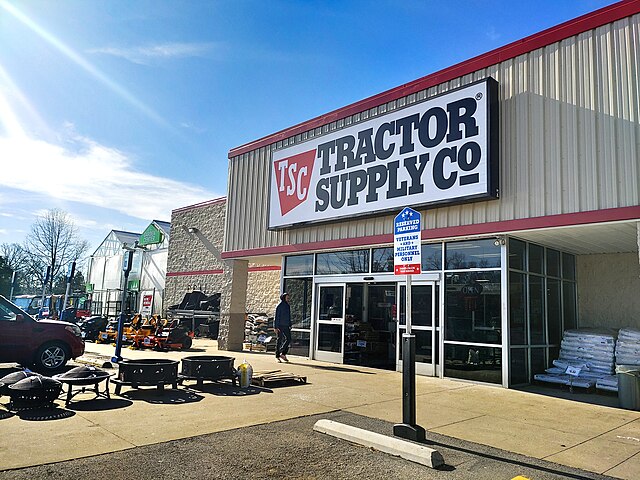
If you supply agricultural or heavy machinery products through Tractor Supply (TSC), AS2 EDI connectivity is not optional - it is a hard requirement. TSC mandates that all suppliers use the AS2 communication protocol for every electronic data interchange transaction.
Getting this right from the start saves weeks of back-and-forth. This guide walks you through every stage: from configuring your AS2 server, to EDI testing, to going live with production traffic.
A Tractor Supply AS2 and EDI connection is built on two distinct layers that work together.
Layer 1 - AS2 Protocol
The AS2 protocol handles the secure transport layer. It encrypts and signs your files, delivers them to TSC’s endpoint, and returns an AS2 MDN (Message Disposition Notification) receipt to confirm successful delivery.
Layer 2 - EDI
The EDI layer carries the actual business documents - purchase orders, invoices, shipping notices, and functional acknowledgments — formatted to TSC’s specifications.
These two layers are set up in sequence, but they are tightly intertwined. TSC requires a valid EDI file even during the AS2 connectivity testing phase. This catches many first-time suppliers off guard. For a primer on how AS2 works as a transport protocol, see our must-know facts on AS2.
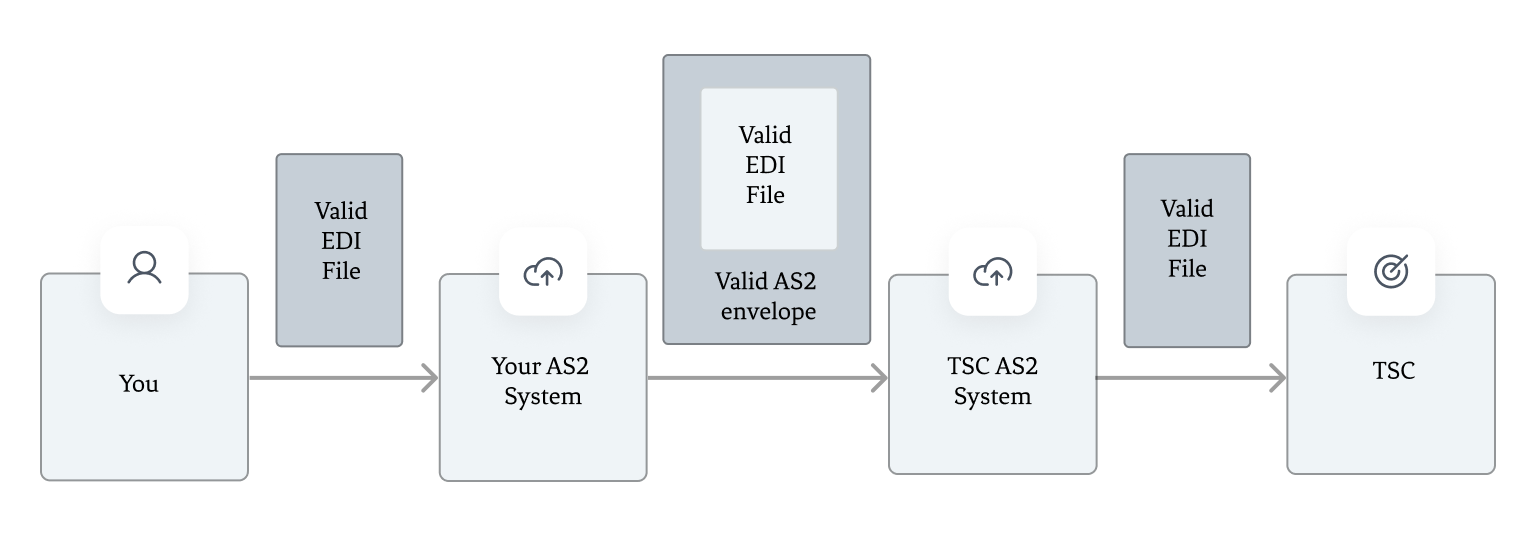
AS2 and EDI connection layer diagram for Tractor Supply
The first step is to set up your AS2 server identity inside your chosen AS2 software.
If you are using Aayu’s MFT Gateway, create a station on your account. You can either generate a new certificate or upload an existing key pair if migrating from another provider.
A few things to keep in mind:
T, TST, or TEST suffix to your AS2 ID, with its own dedicated certificate.Once your stations are ready, you will exchange AS2 connectivity details with Tractor Supply through their vendor portal.
Open a support ticket to begin the onboarding process. TSC’s team will ask you to submit onboarding documents and a Vendor AS2 Specifications form. Fill in the following details for both your test and production stations:
TSC will share their own AS2 protocol configurations and certificates in return - typically .cer files embedded in a Word document. Use these to create partner records in your AS2 software.
Important: Always check the certificate expiry date before importing. TSC occasionally shares certificates from the previous year that are already expired or close to expiring.
TSC typically takes up to 5 business days to configure the connection and whitelist your IP. If you have a non-US IP address, additional whitelisting fees may apply. Aayu MFT Gateway uses US-based IP addresses exclusively, so this is not a concern for MFT Gateway users.
TSC allocates two weeks for testing both the test and production AS2 and EDI connections. Testing runs in both directions.
Receiving from TSC is generally straightforward. When TSC sends a test EDI file, your AS2 server will accept it, save it to your inbox, and automatically return an AS2 MDN receipt. If anything fails, our guide on troubleshooting AS2 EDI transfer issues covers the most common failure modes.
Sending to TSC requires more care. The file you send must meet all of the following requirements:
01T for test traffic, P for productionapplication/edi-x12 - use the .x12 file extension in MFT Gateway, or specify the MIME type directly via the REST APIIf these conditions are not met, TSC’s system may return errors referencing unexpected payload types or XML parsing failures. This is a direct result of incorrect EDI integration settings, not an AS2-level issue. Revisiting your EDI mapping and file content usually resolves it quickly.
Once the AS2 connectivity phase passes, you move into full EDI integration testing. The exact documents required depend on your business model (e.g. drop-shipping vs. 3PL), but a typical D2C supplier will need to test all of the following:
For an overview of what each of these document types contains, see our EDI document types explained guide.
X12 mapping for each of these transactions must align precisely with TSC’s EDI documentation. Aayu’s EDI Generator handles the majority of these document types out of the box, reducing the need for custom EDI mapping software or manual EDI data mapping work.
When all testing is approved, TSC sends a production approved email. At that point, switch your AS2 software configuration to the production station and begin live traffic.
A few key operational rules to follow once live:
For a broader checklist of what to verify before flipping to production, our AS2 compliance checklist is a useful reference.
If you already have a live TSC connection through another provider, the process is slightly different. Rather than opening a new onboarding ticket, you will need to submit a SNOW task through the TSC vendor portal to migrate the connection to your new provider and complete re-testing.
Aayu’s MFT Gateway has handled multiple TSC migrations. The transition is straightforward when your AS2 identifiers and certificate configurations are prepared in advance.
Setting up a Tractor Supply AS2 and EDI connection is entirely manageable - provided you know the steps, the certificate pitfalls, and the EDI file requirements up front.
Whether you are onboarding as a new TSC supplier or migrating an existing connection to a more cost-effective solution, Aayu’s AS2 software and EDI integration tools are built for exactly this use case.
Start your free MFT Gateway trial and connect with Tractor Supply.
Have questions about your specific setup? Reach out to our team - we are happy to help.
Join hundreds of organizations already taking full control of their B2B AS2 communications with our trusted solutions. Contact us today to tailor a solution that fits your specific AS2 EDI needs.
Get full access to whichever product fits your needs. Configure real trading partner connections, run end-to-end transactions, and see the platform perform before making any commitment. All three products include a free 30-day trial with no restrictions.







